
How to Create a Product with Recurring Pricing
Edited
Recurring pricing will effectively become a subscription and follow an invoicing and payment schedule depending on the frequency and term.
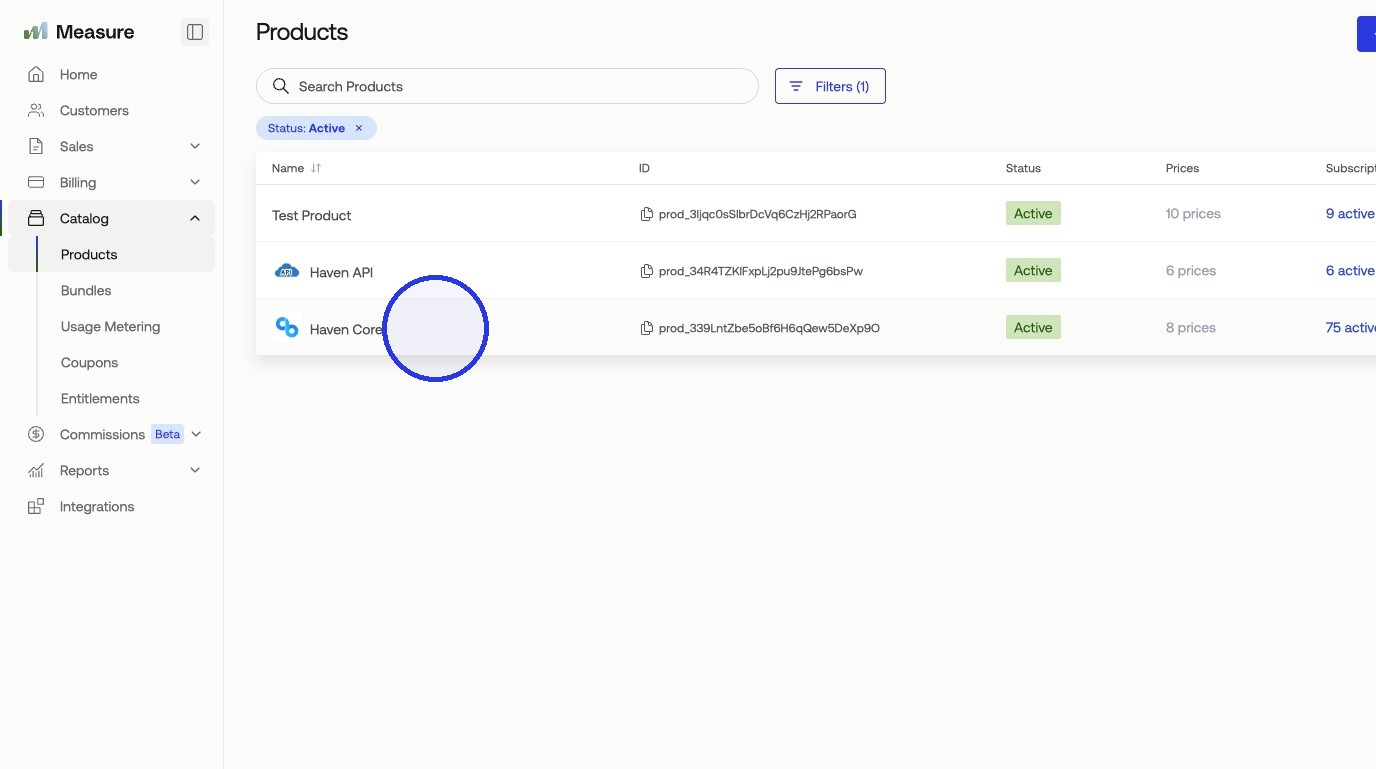
1. Select your product
In Catalog, select the product you want to add pricing to. If you have not created a product yet, refer to How to Create a Product.
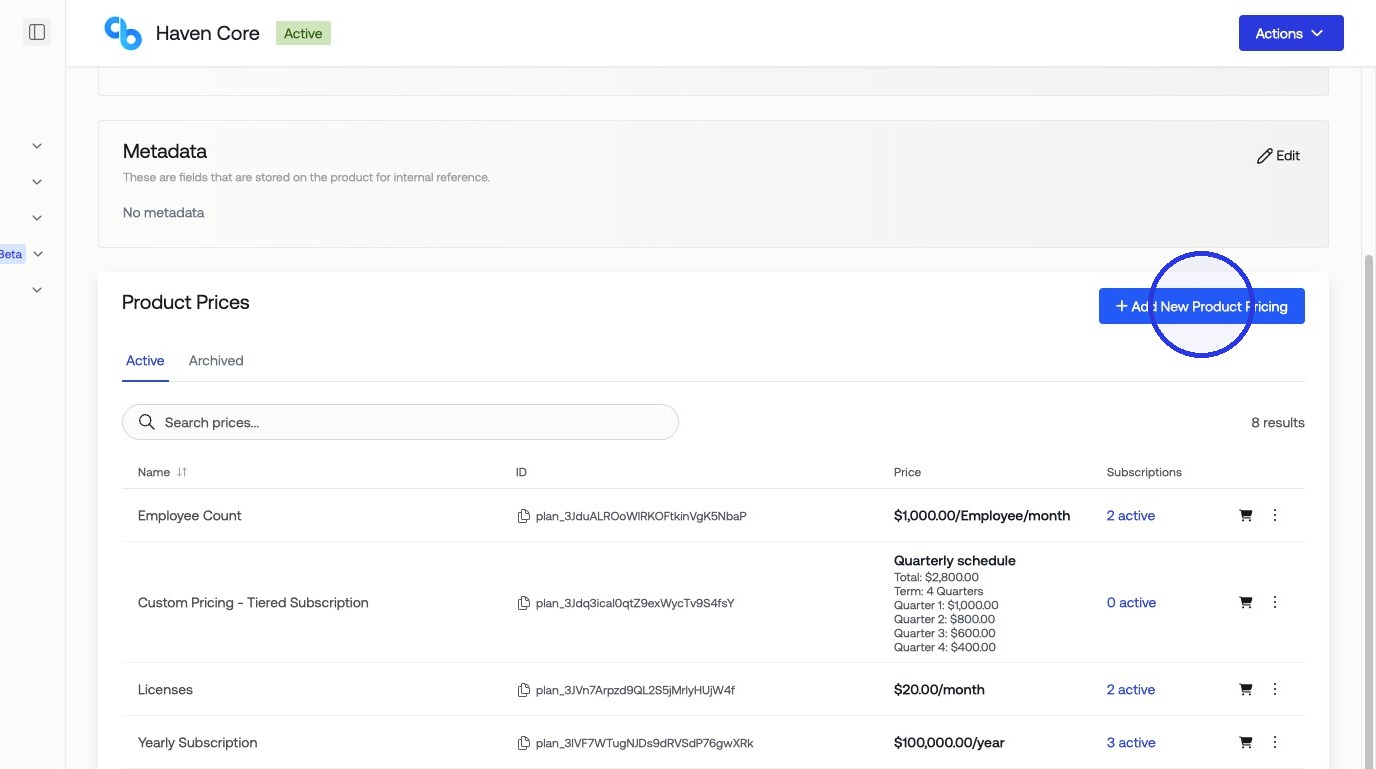
2. Click "Add New Product Pricing"
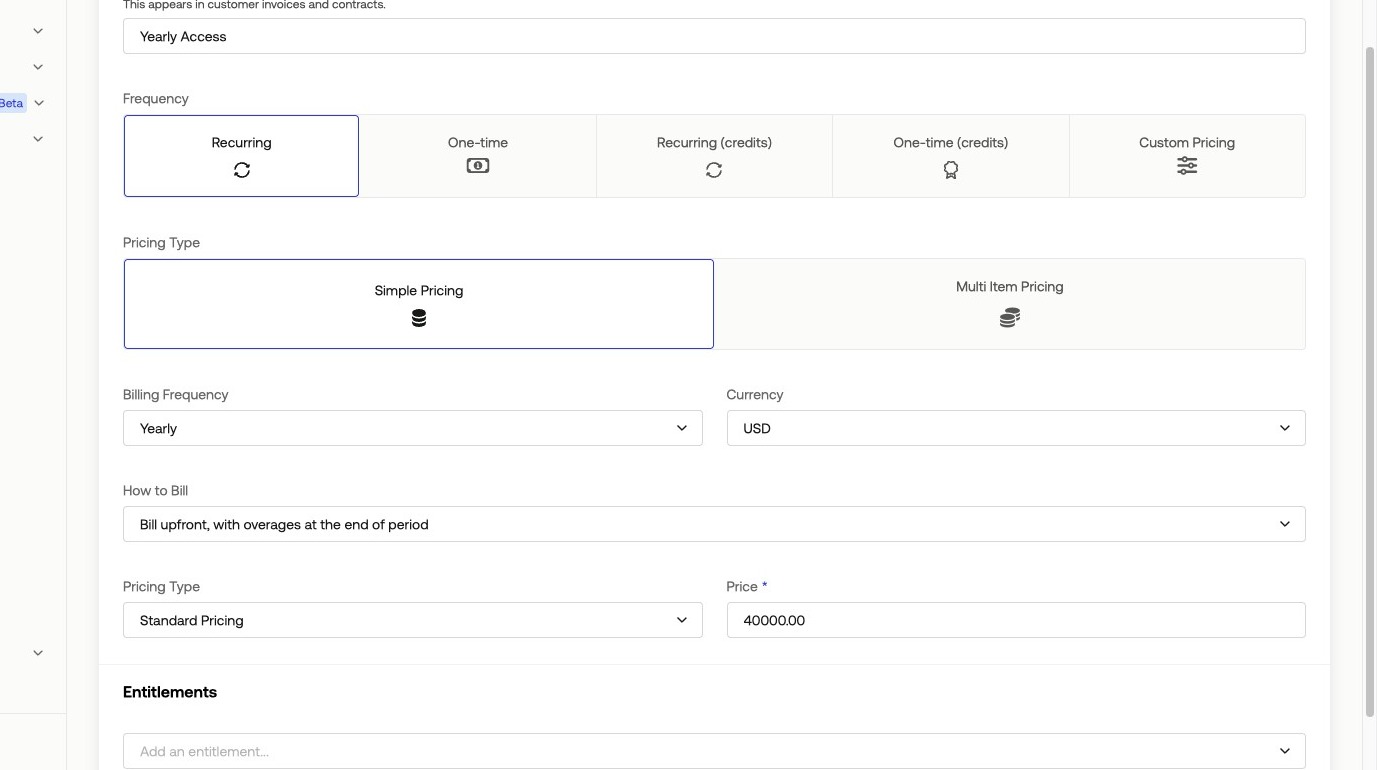
3. Fill in your pricing information > Click Create
In our example:
Name: Subscription
Frequency: Recurring
Pricing Type: Simple Pricing
Billing Frequency: Yearly
Price: $40,000 USD
Was this article helpful?
Sorry about that! Care to tell us more?