
Proposals Statuses and Workflows
What Is a Proposal?
A proposal is a pre-contract document that presents one or more pricing options to a prospective customer. The customer reviews the options, selects the one they want to proceed with, and confirms their choice before a contract or payment is created.
Proposals are distinct from contracts. A contract is a binding agreement that may require a signature. A proposal is the step before that, where pricing and terms are presented for the customer to evaluate and accept.
Proposal Statuses
Accepted- The customer accepted the proposal, navigating you, the Measure user, to the next Follow-up Action.Pending Customer Selection- The proposal is complete and sent by you as the customer is selecting their pricing options.Draft- The proposal is being worked on and saved for later by the Measure user.
The Customer-Facing View
When a customer opens a proposal, they see a branded page that includes your company logo, a banner image, and a welcome message. Each pricing option is displayed as a tab or in a stacked layout, depending on how you have configured your proposal settings.
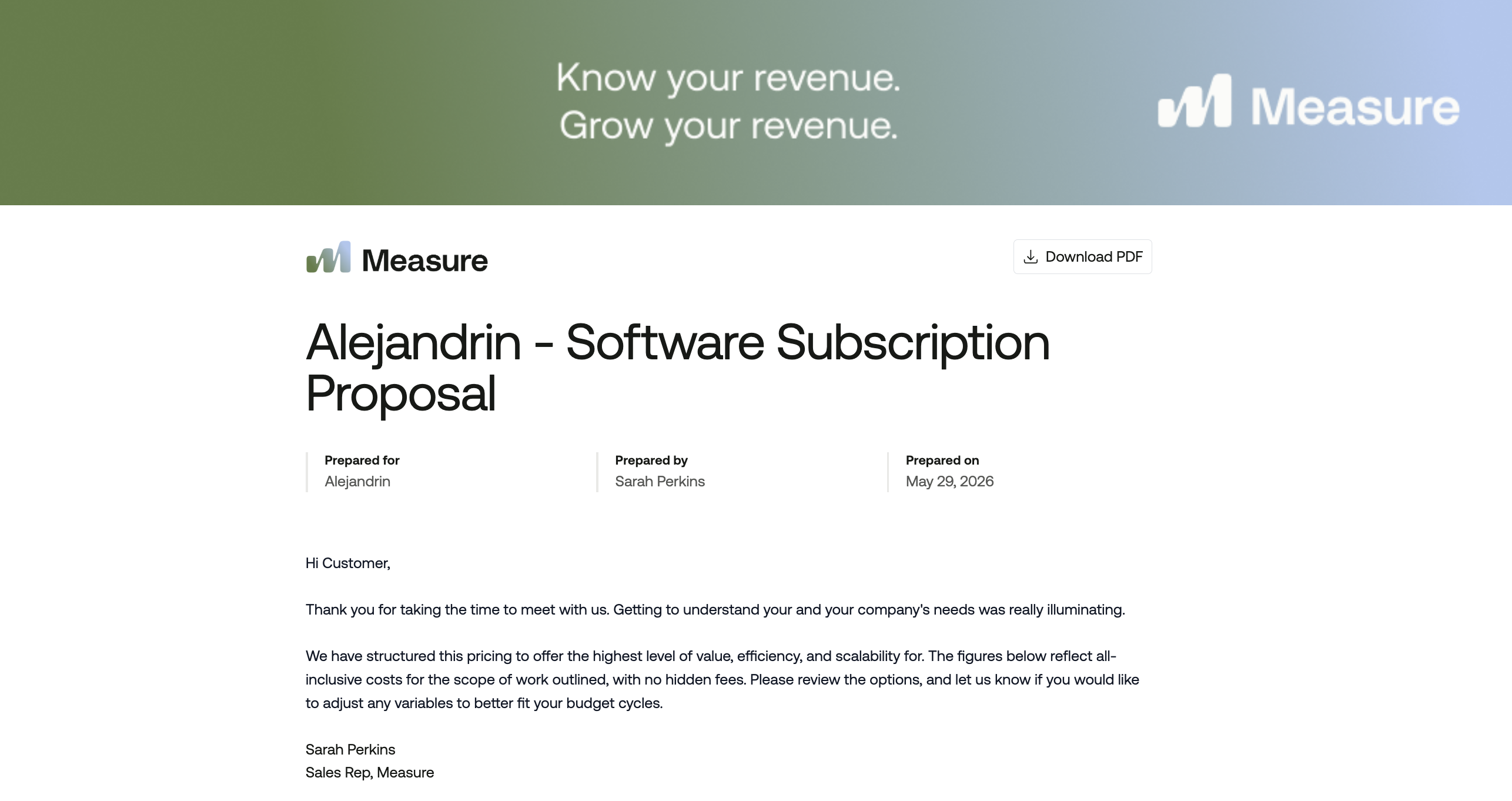
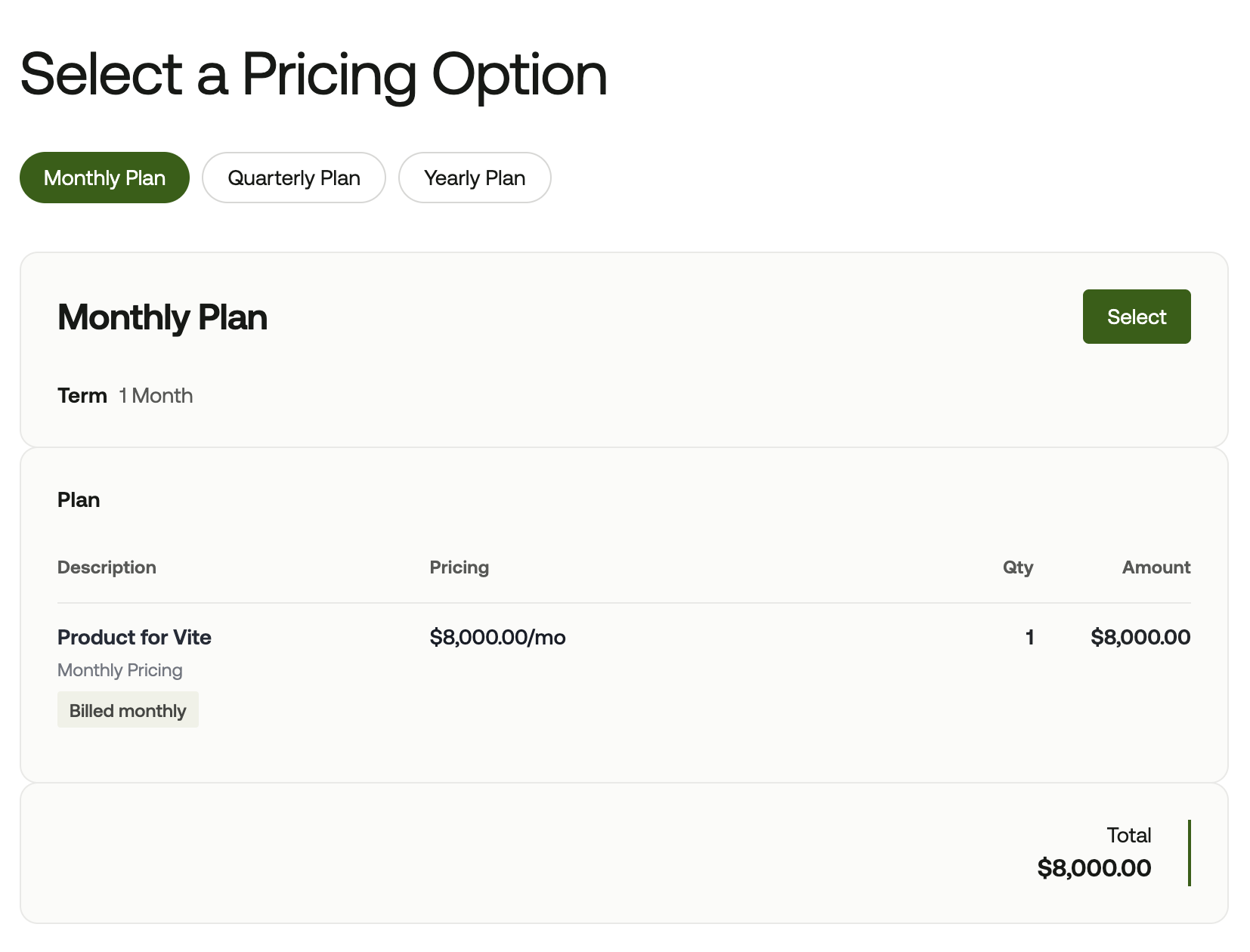
The customer selects the option they want, reviews a detailed summary of that price, and confirms their choice. Customers can also download the proposal as a PDF.
Creating a Proposal
Navigate to Sales > Proposals and click Create Proposal. Select a customer and add one or more pricing options. Each option represents a distinct product pricing the customer can choose from, such as a Monthly Plan, Quarterly Plan, or Yearly Plan.
You can give each option a title and an optional description to help the customer understand what is included. Each option pulls from the product pricings you have already configured in Measure. You can add additional phases or discounts to any option as needed.
A default description can be pre-populated on every new proposal by configuring it in Settings.
Follow-Up Actions
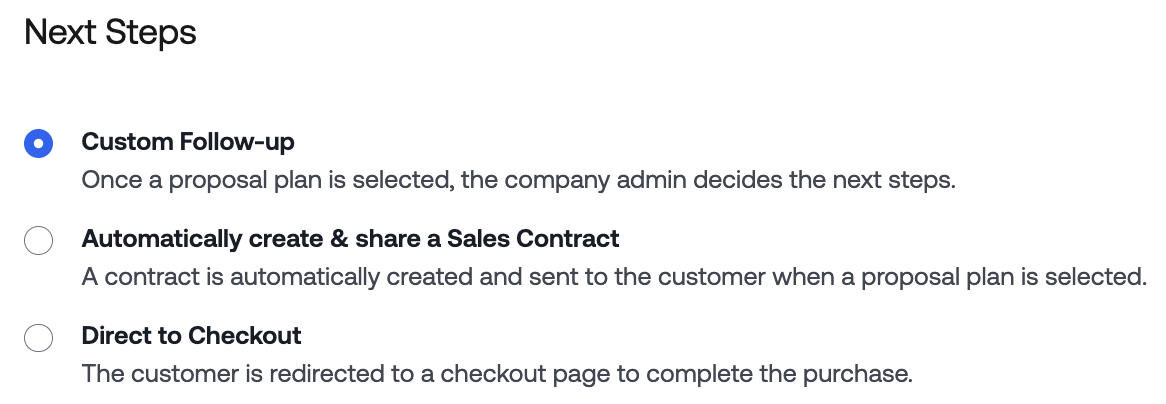
When creating a proposal, you choose a follow-up action. This determines what happens automatically after the customer selects a pricing option. There are three options.
Custom follow-up notifies you when the customer makes a selection. You then decide the next step manually, such as creating a contract or sending a payment link. Use this when you want to review the selection before proceeding.
Automatically create and share contract generates a sales contract as soon as the customer selects an option. The contract is pre-populated with the selected pricing and can be sent to the customer for signature without any manual steps.
Direct to Checkout sends the customer directly to a payment page after they confirm their selection. No contract or signature is required. Use this when you want to collect payment immediately.
Sharing the Proposal
Once you save and finalize the proposal, Measure generates a shareable link. Send this link to the customer directly. The customer opens the link, reviews the pricing options, and accepts the one they want to proceed with.
After a Proposal Is Accepted
Once a customer selects an option, the proposal status updates to Accepted. If you used Custom follow-up, the proposal page shows two actions: Create Contract and Create Payment Link.
Clicking Create Contract takes you to the contract creation flow with the pricing pre-populated from the accepted option. You can save the draft and finalize it to generate a contract ready to send to the customer. Clicking Create Payment Link generates a checkout link so the customer can complete payment without a signed contract.
If you used Automatically create and share contract, the contract is already generated at the point of acceptance. You can view it directly from the proposal and send it to the customer.
Proposal Settings
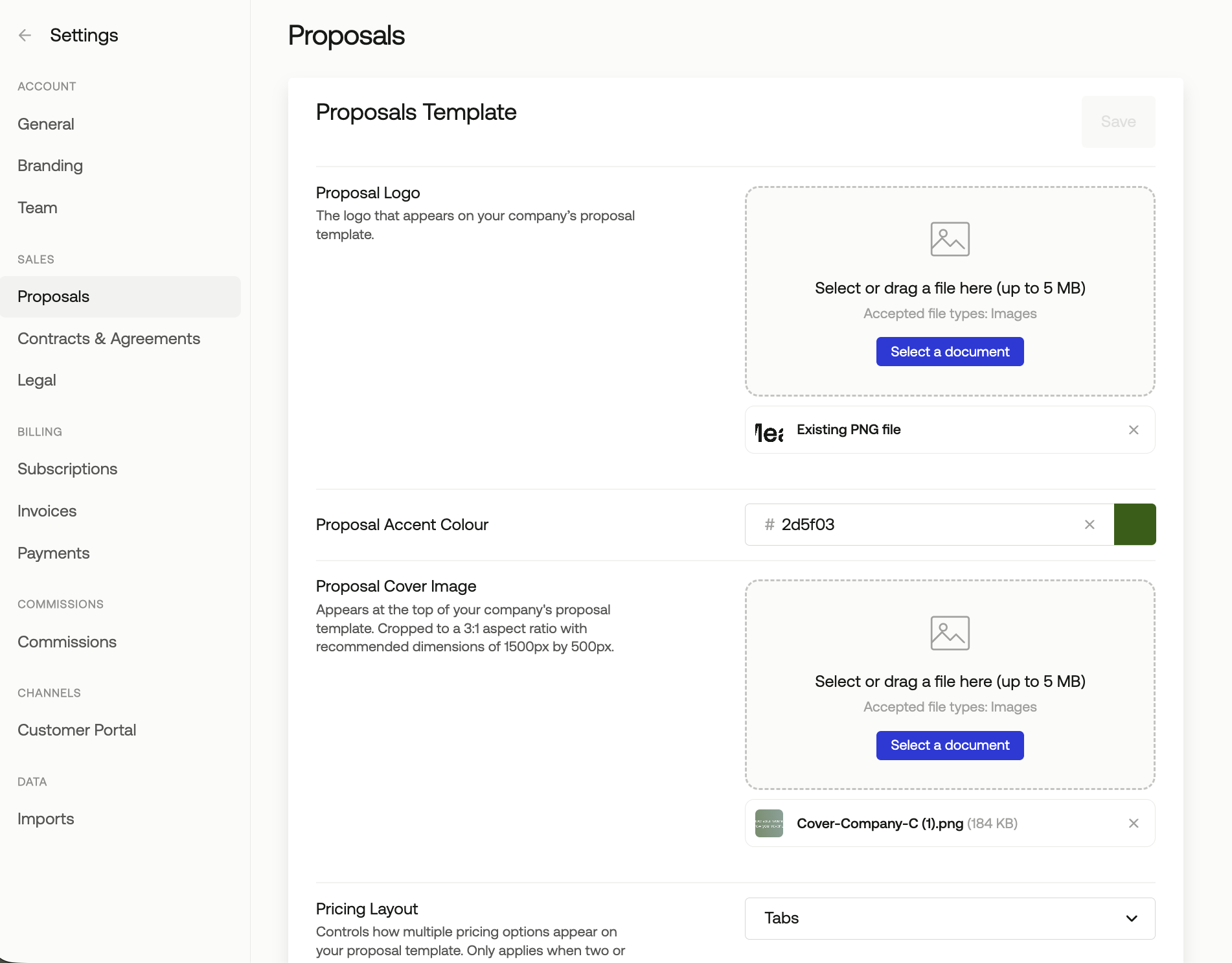
Navigate to Settings > Proposals to configure the appearance and behavior of all proposals. You can upload your company logo and a banner image, set your brand colors, and choose whether pricing options are displayed in a tabbed or stacked layout.
Settings also let you control whether totals and other pricing details are shown to the customer, and configure the default description that pre-populates on new proposals.
Proposal Statuses
Accepted- The customer accepted the proposal, navigating you, the Measure user, to the next Follow-up Action.Pending Customer Selection- The proposal is complete and sent by you as the customer is selecting their pricing options.Draft- The proposal is being worked on and saved for later by the Measure user.