
How to Pay for an Invoice
Edited
Payments can be done by credit card, ACH, or US bank account. Payment methods can be specified on the contract, subscription, invoice, or globally in your payment provider integration.
With Measure, you have the ability to pay for invoices with a saved payment method on file or by entering a new payment method. For our example, we will be using a saved payment method for the customer.
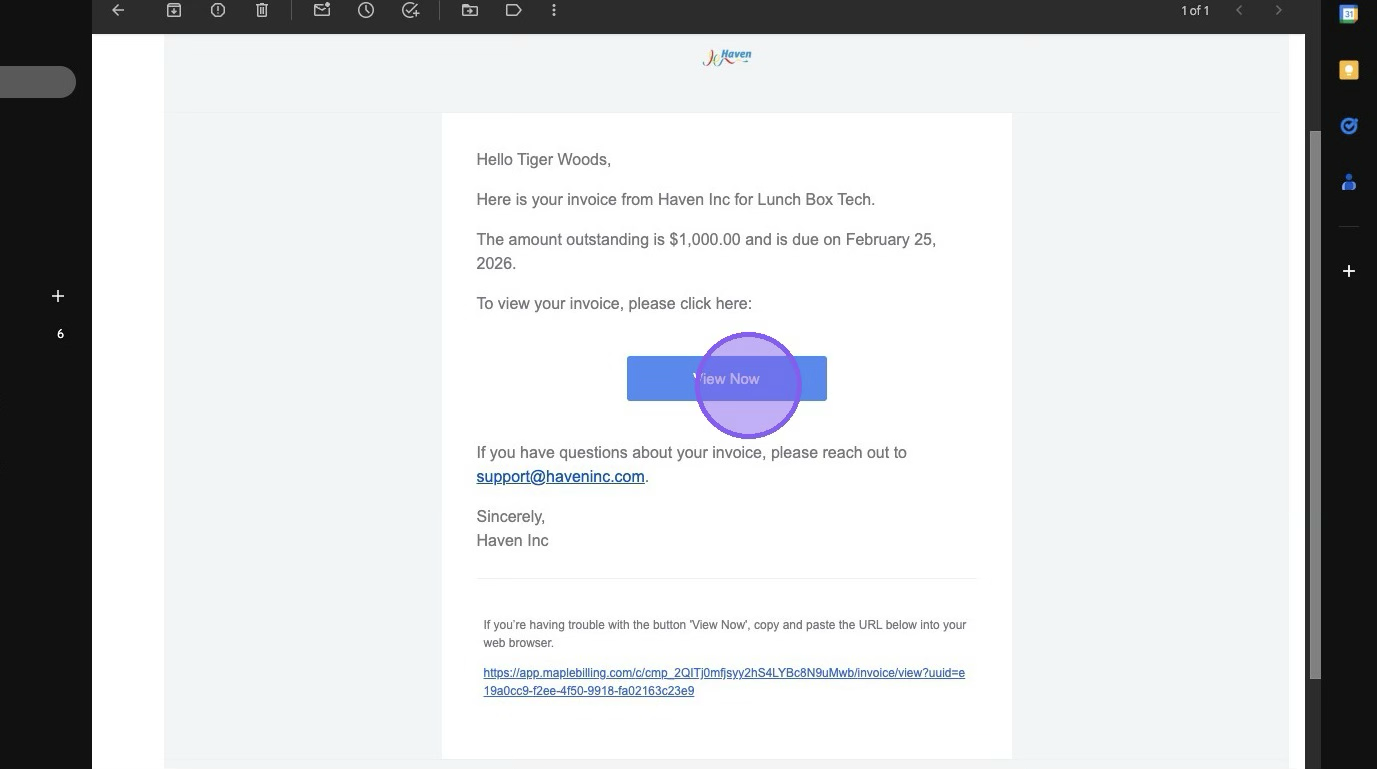
1. In your email, click "View Now"
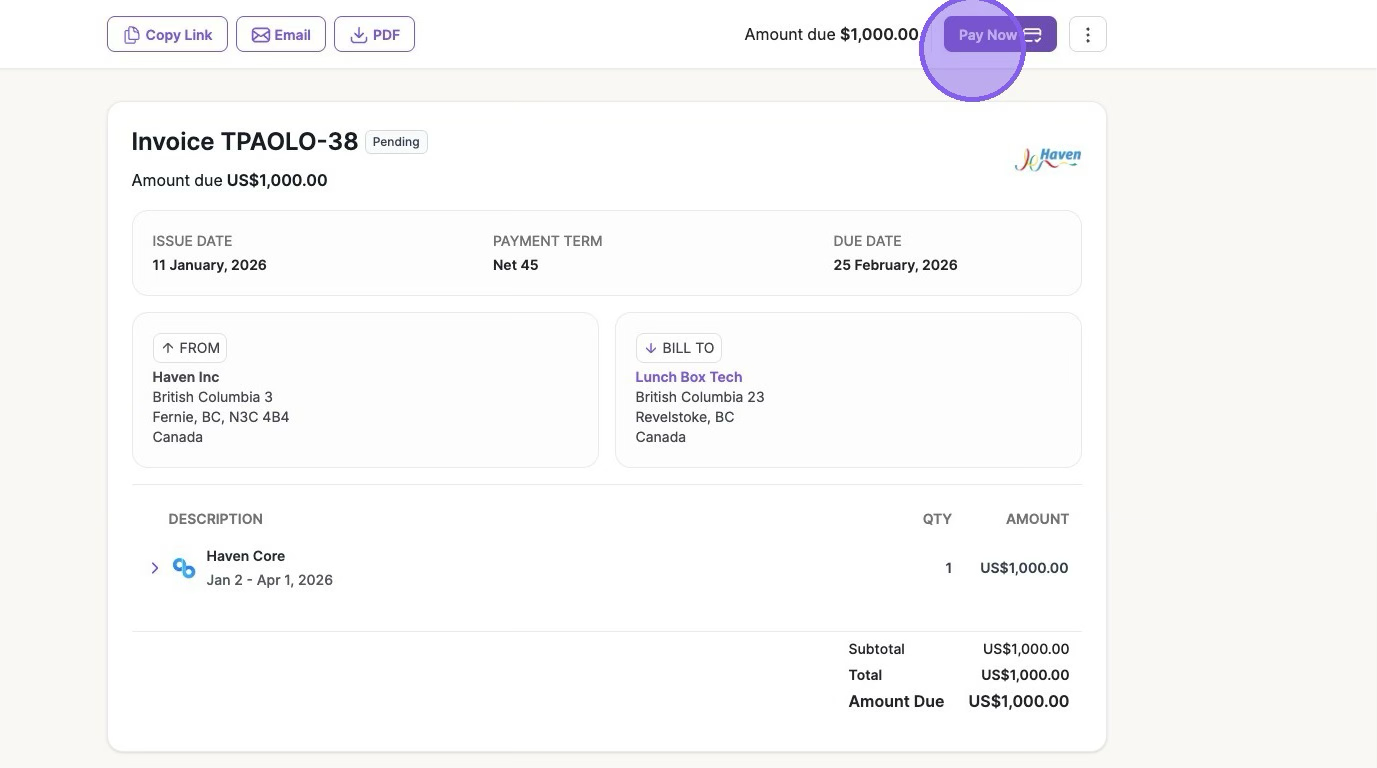
2. Once viewing the invoice, click "Pay Now"
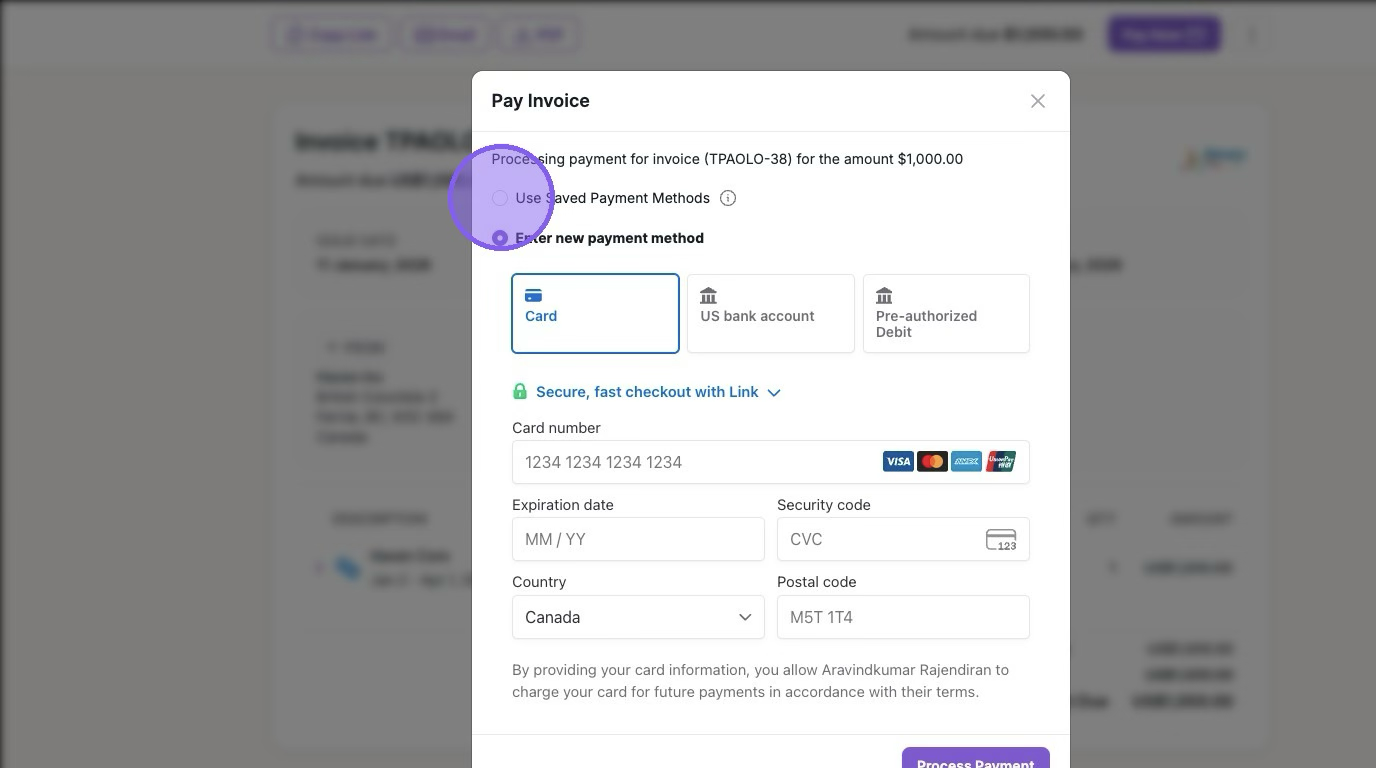
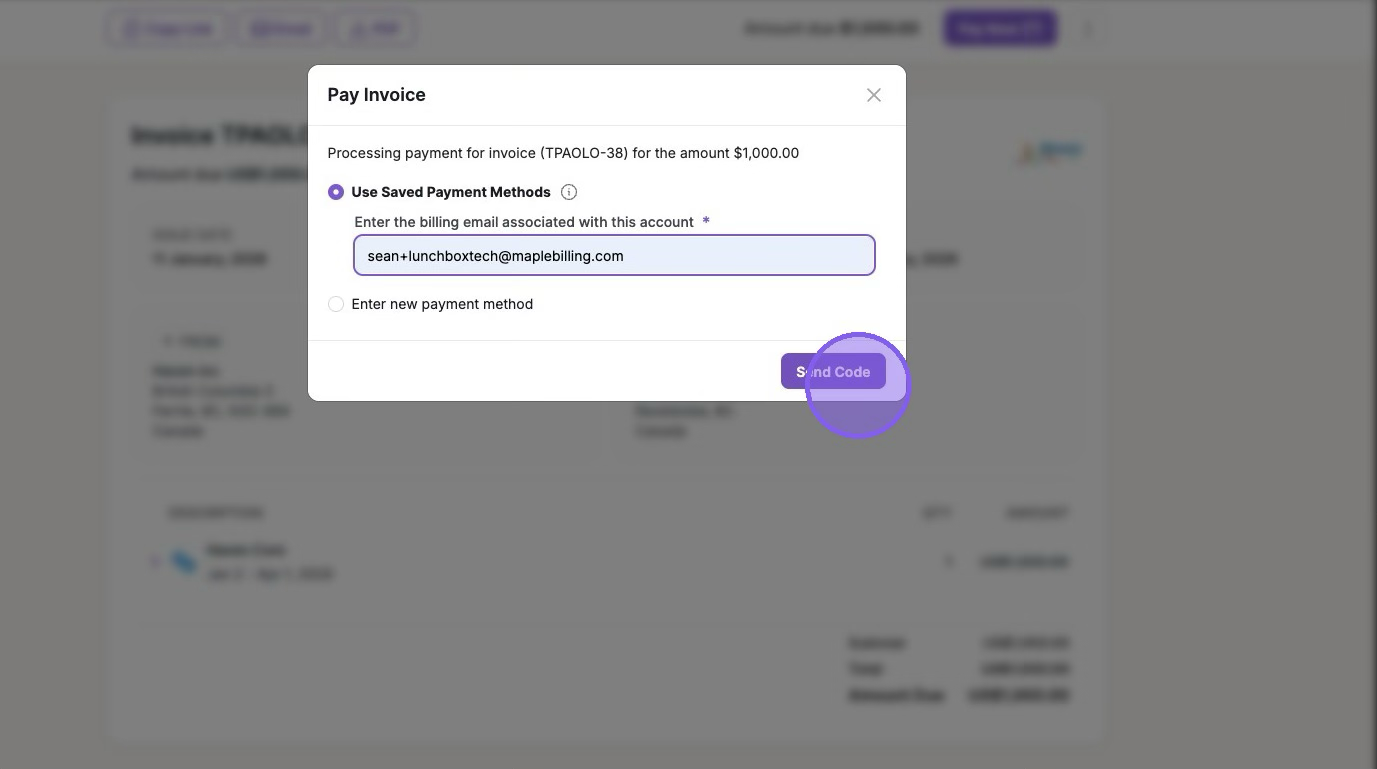
3. Click "Used Save Payment Methods" or "Enter a new payment method"
4. Type your email to verify a security code
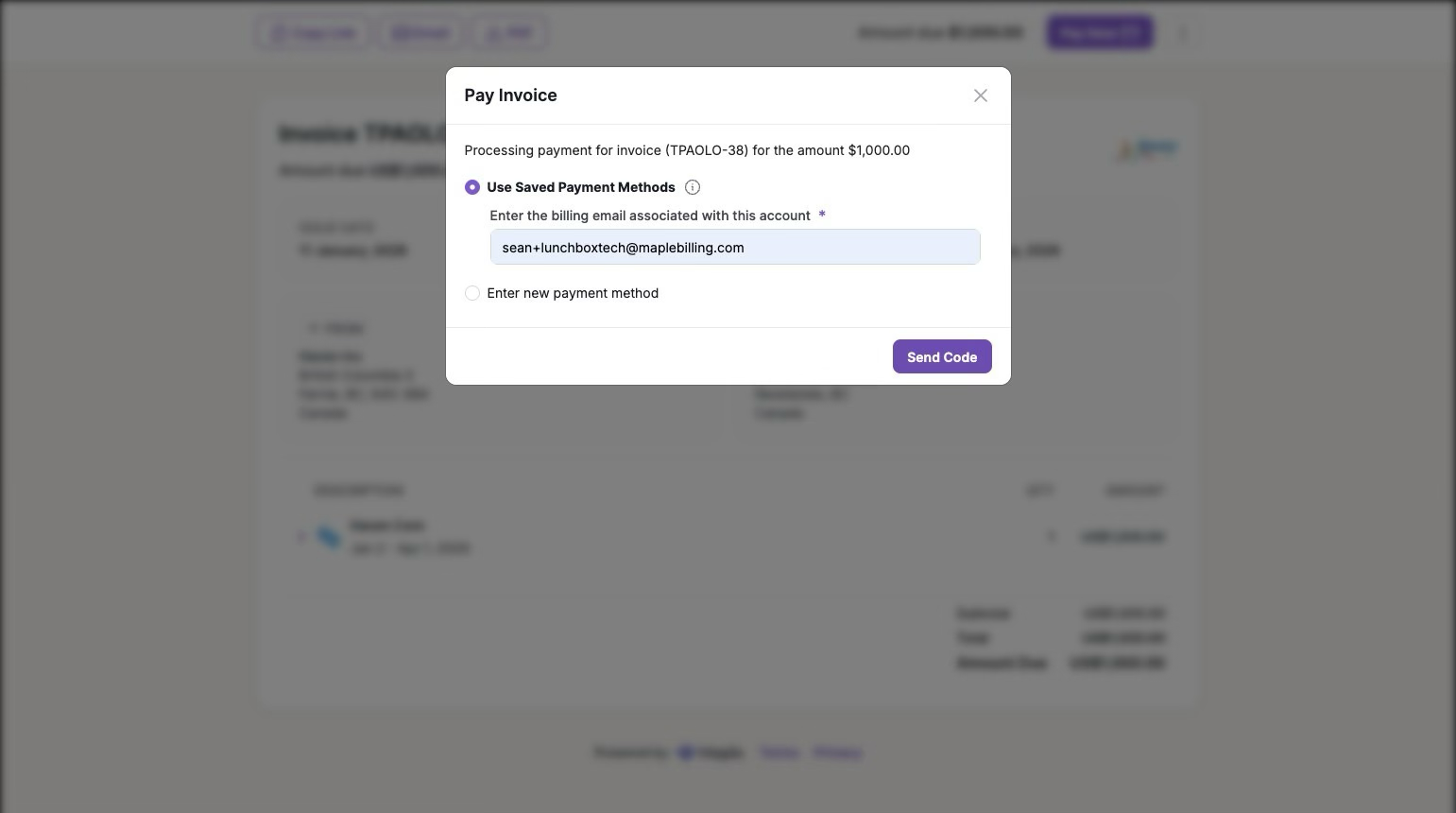
5. Click "Send Code"
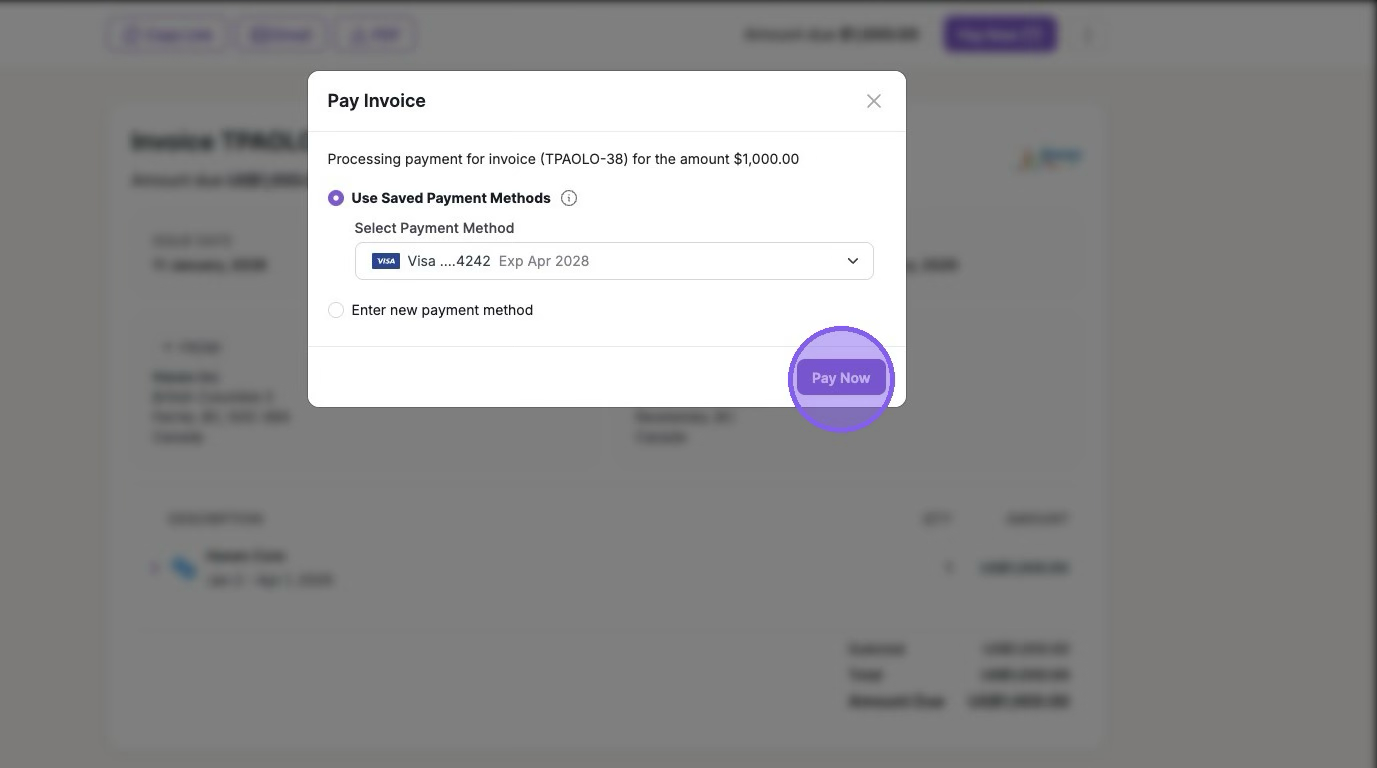
6. Verify your code from the email > Click "Pay Now"
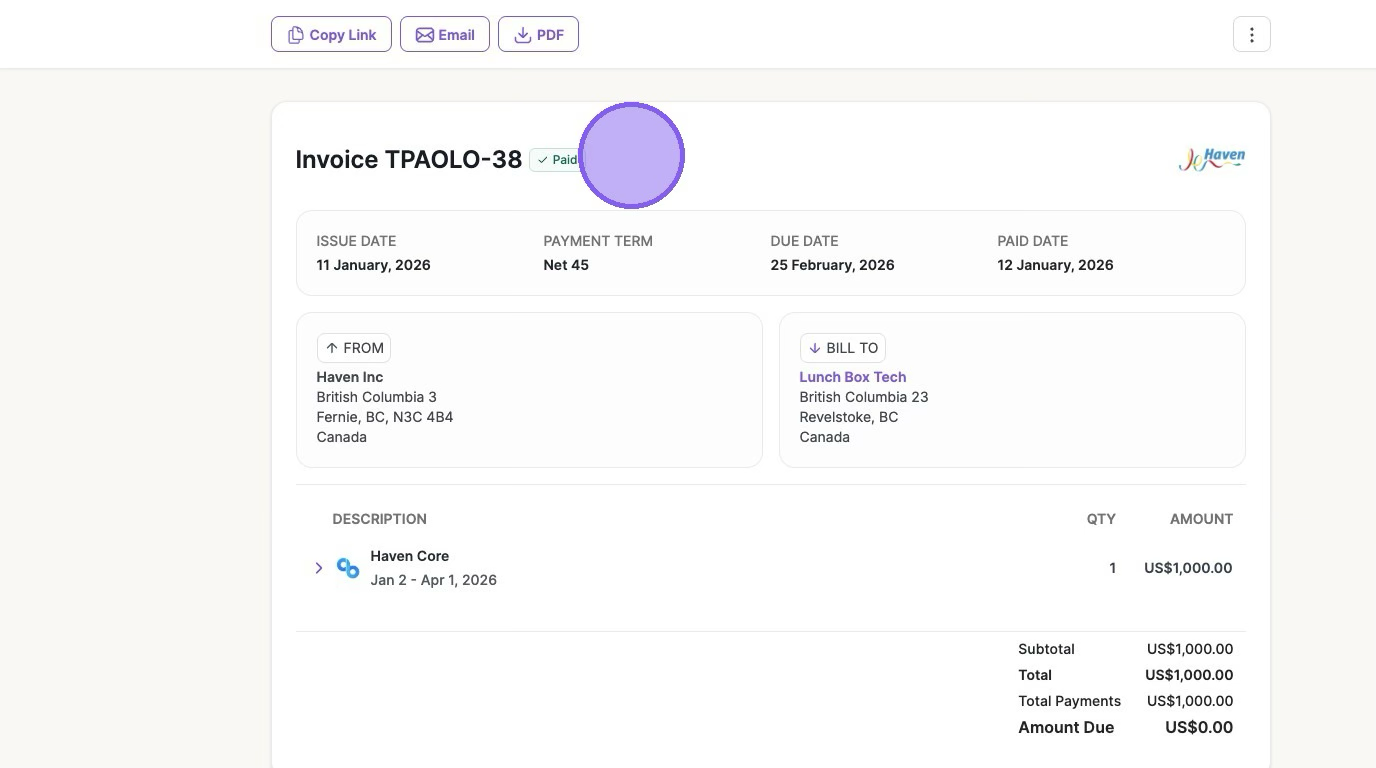
The invoice will now be paid
Was this article helpful?
Sorry about that! Care to tell us more?