
How to Configure Apple Pay and Google Pay
Edited
Stripe allows for enabling Apple Pay and Google Pay as available methods for payment links and checkout sessions.
However, both these payment methods require verification of the Measure domain on which they be hosted.
1. Click on the Settings > Payment in your Stripe account
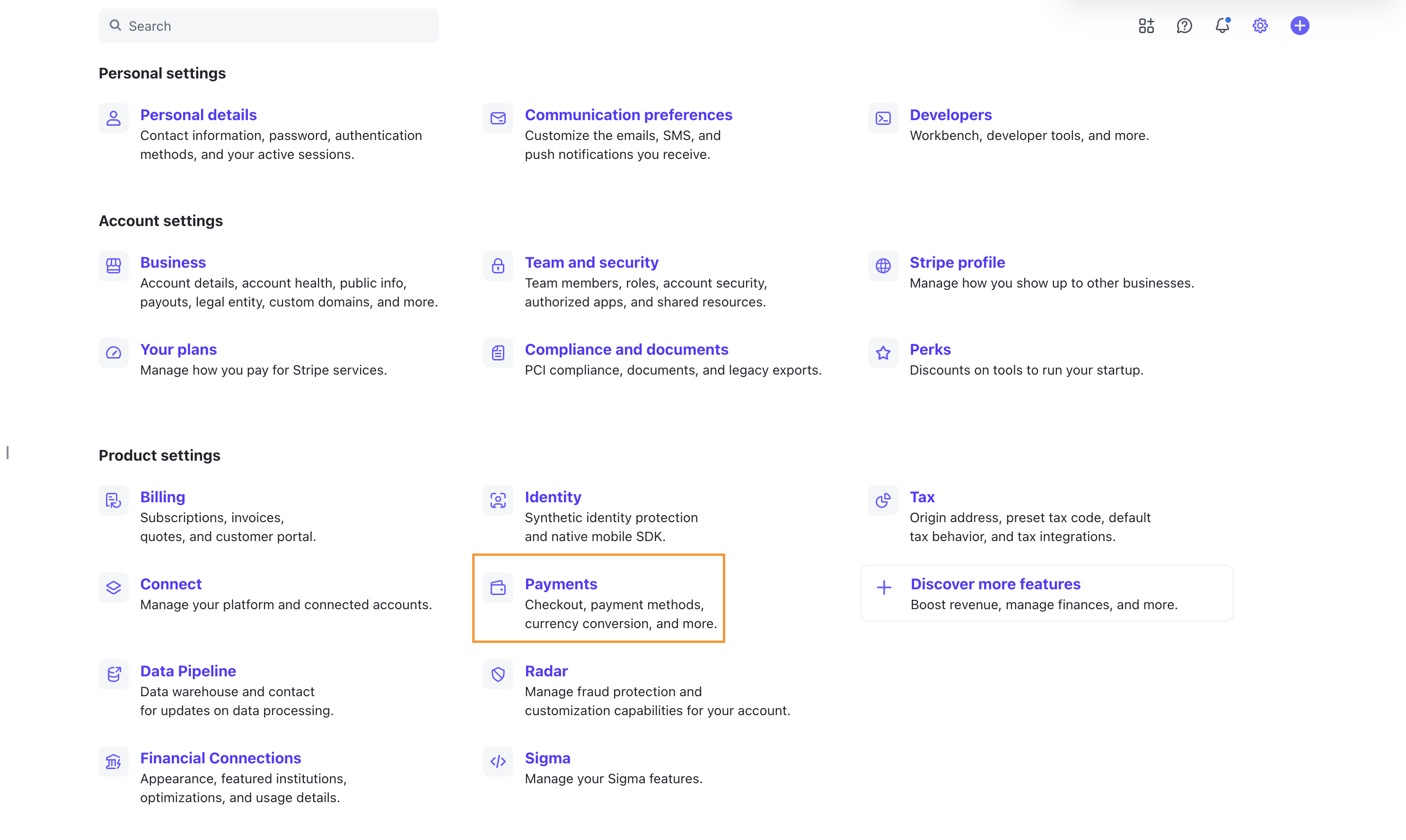
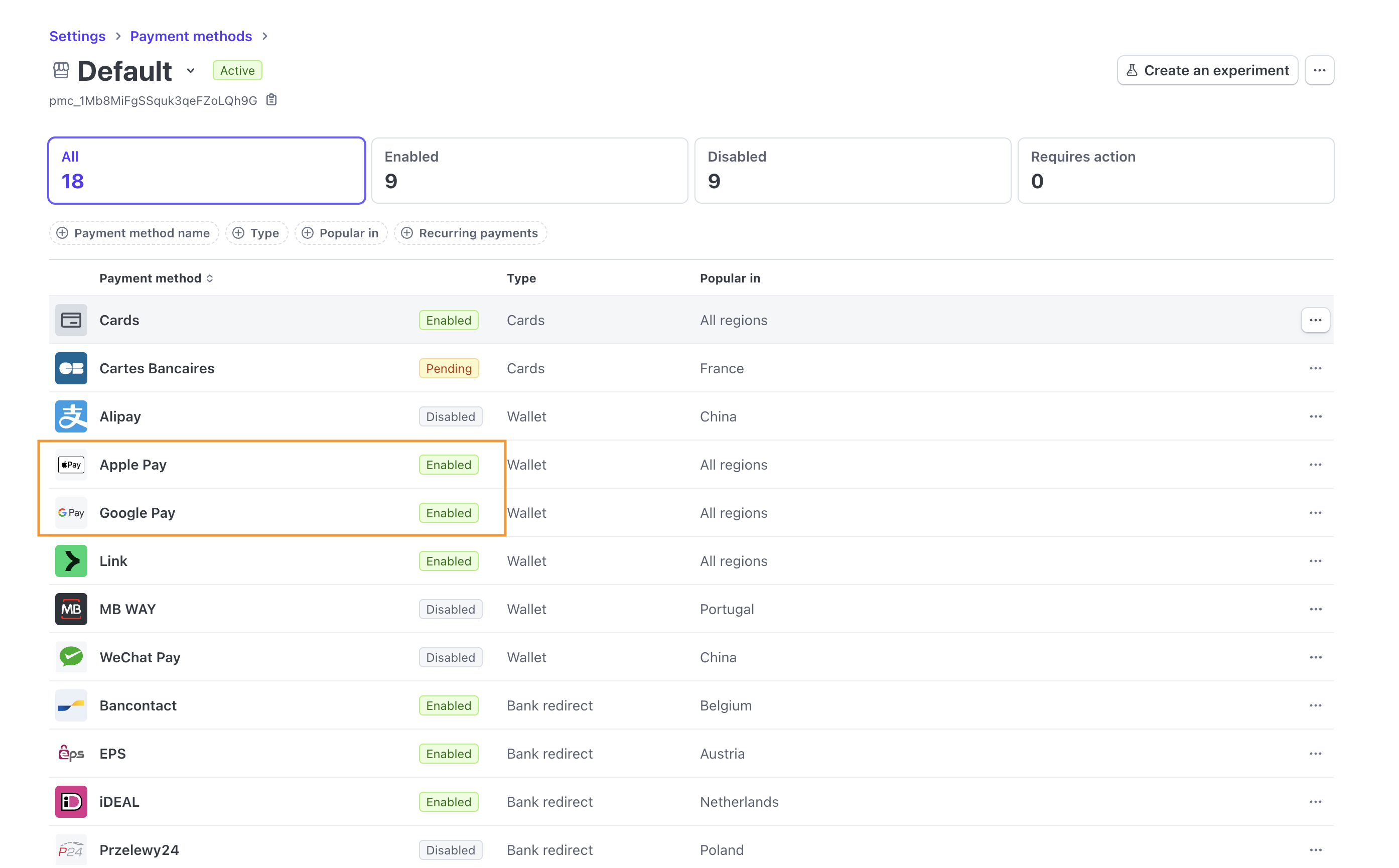
2. Click on Payment Methods > Default
Ensure that Apple Pay and Google Pay are enabled. If not, follow the steps to enable them.
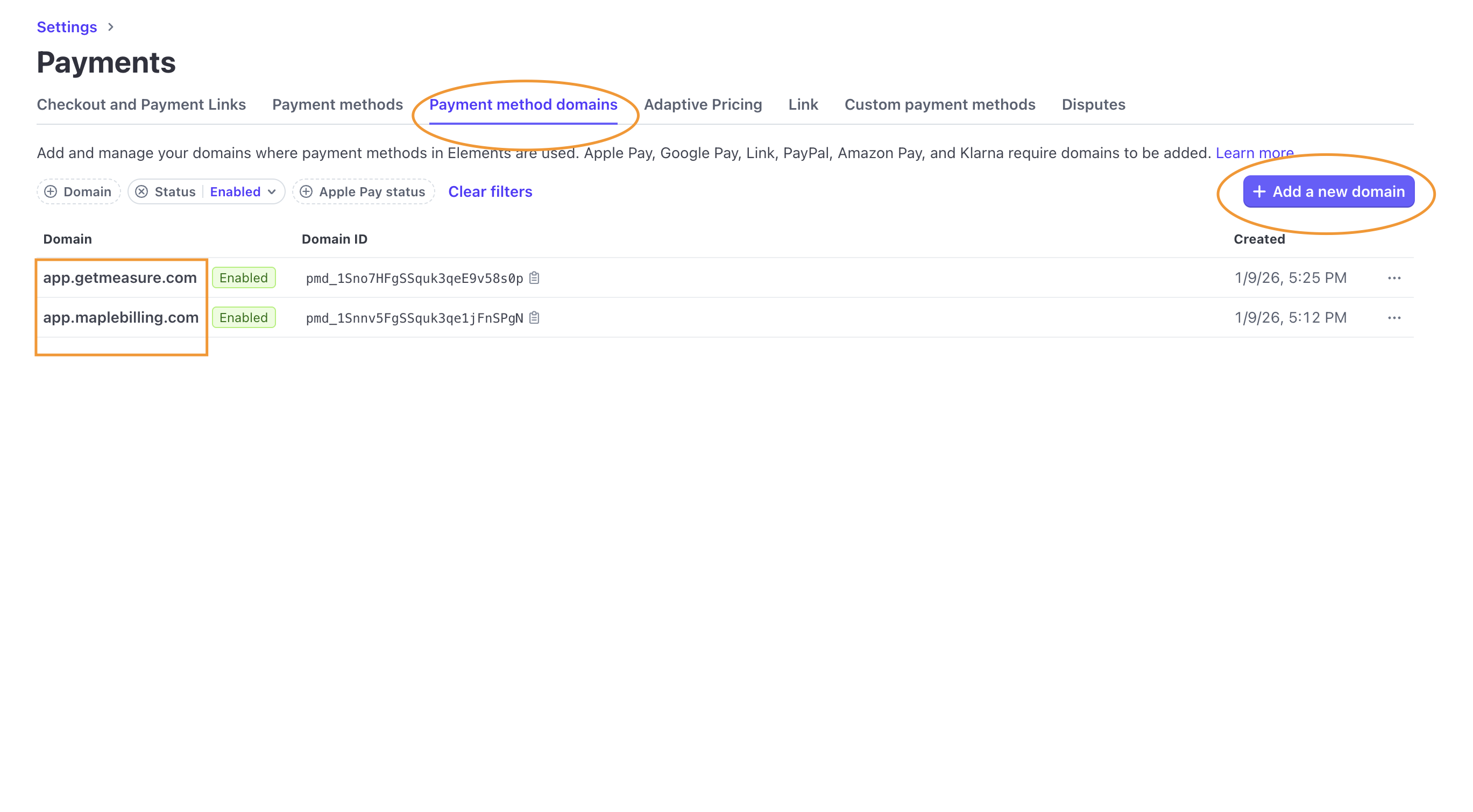
3. Click on Payment Method Domains
Click on Add a new domain and create an entry for app.getmeasure.com and app.getmeasure.com.
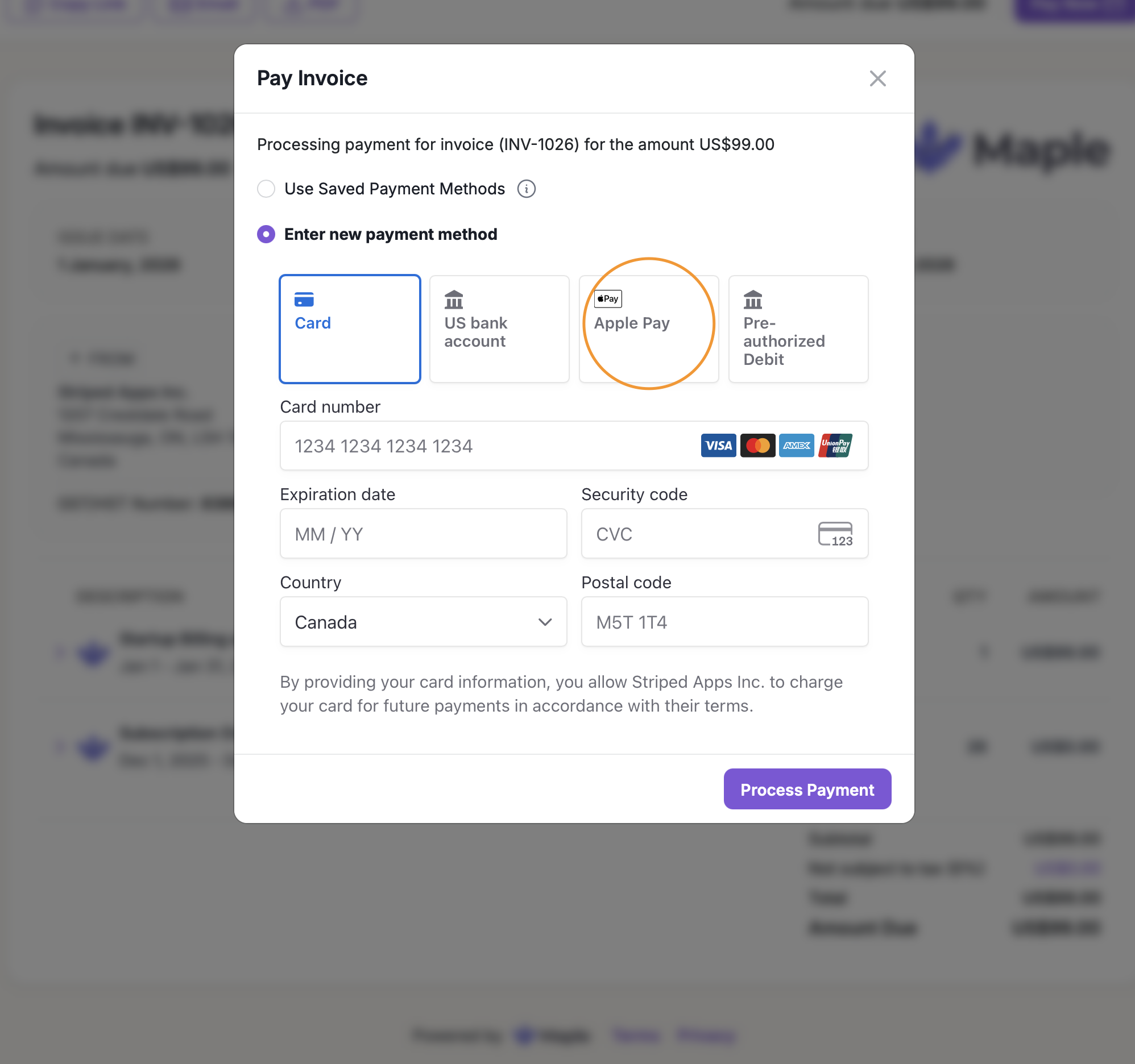
4. Check the payment experience for the new payment methods
Was this article helpful?
Sorry about that! Care to tell us more?