
How to Update your Payment Method as a Customer
Edited
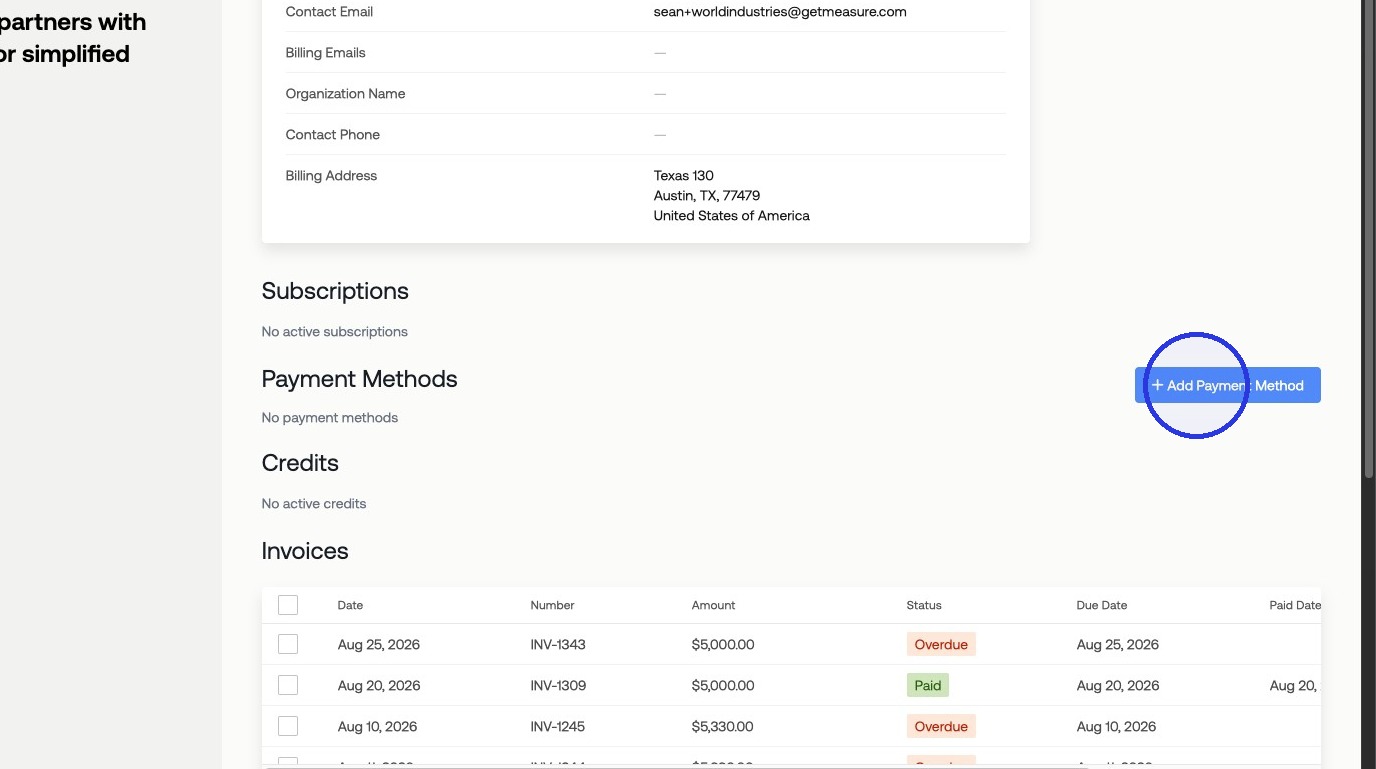
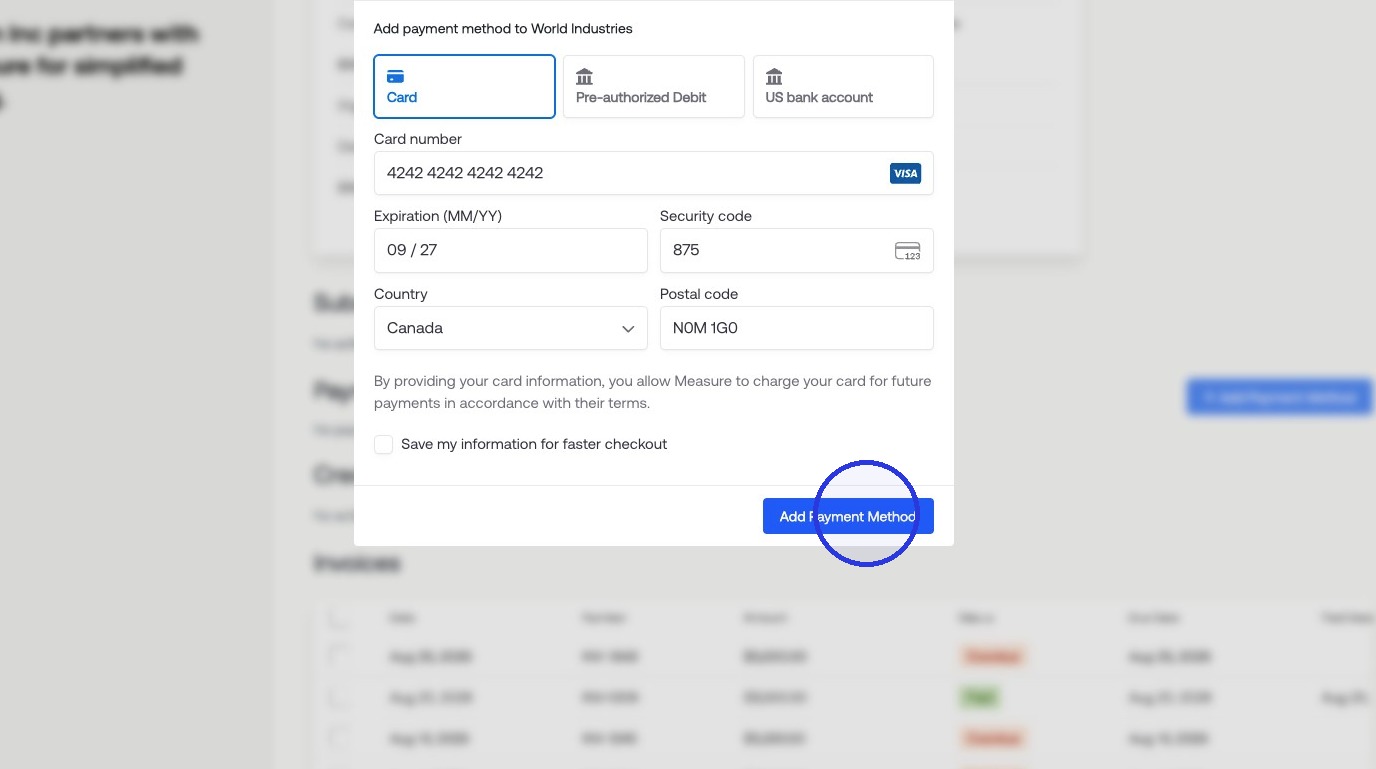
Customers can add new payment methods and update their default payment method for automatic payments. Once you are on the Customer Portal:
1. Click "Add Payment Method" > Fill in Payment Details > Click "Add Payment Method" for it to upload to your customer record
Was this article helpful?
Sorry about that! Care to tell us more?