
How to Create a Custom Billing Schedule
Edited
Billing schedules let you easily structure contracts with irregular billing intervals. This is useful when you need to set up irregular payments over an extended period, ensuring the customer is billed according to specific timelines.
For example, a customer may commit to a one-year contract, paying various amounts at specific intervals rather than a consistent monthly rate.
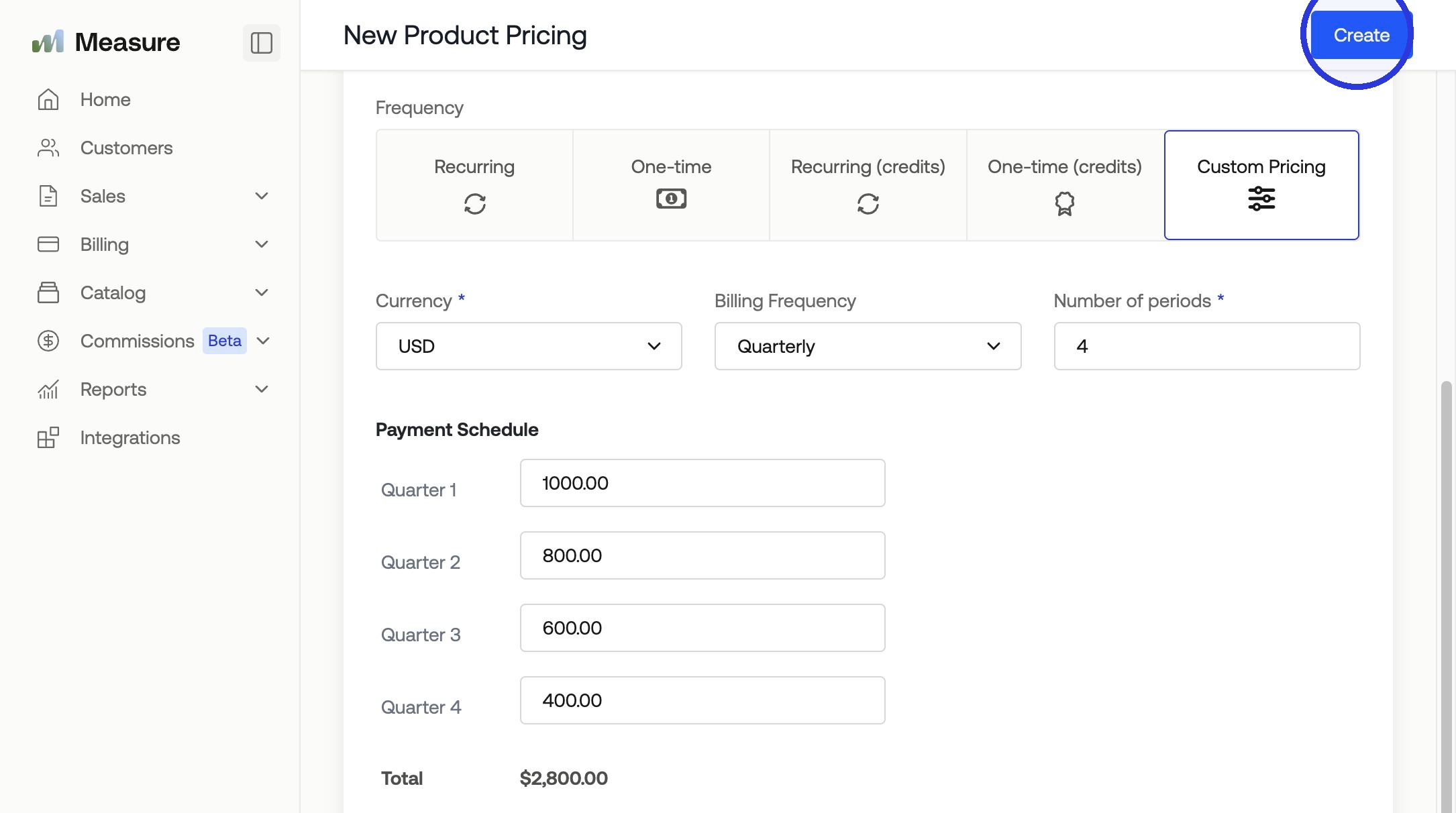
Pays $1000 upfront
Pays $800 in month four
Pays $600 in month seven
Pays $400 in month ten
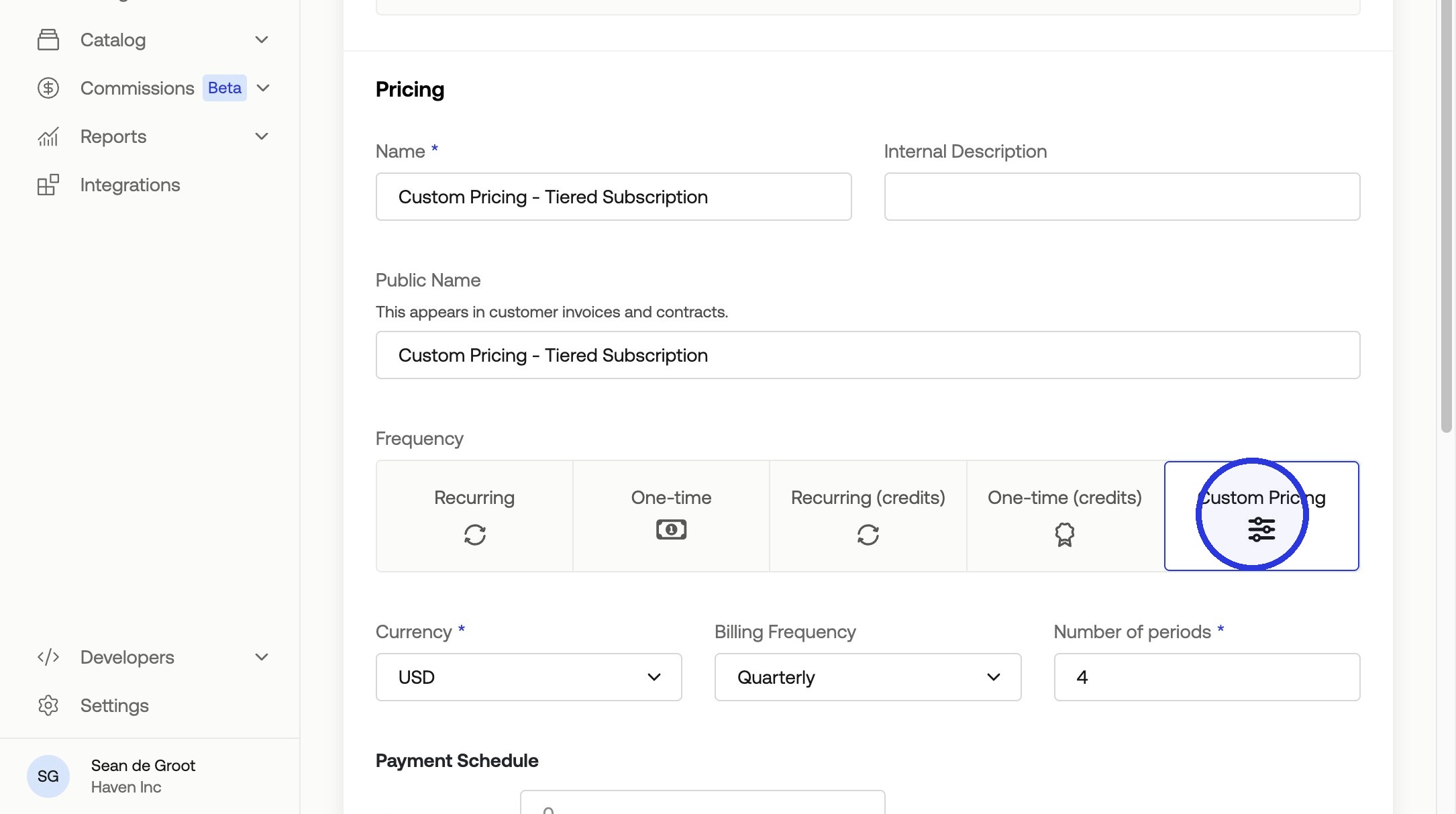
1. Click Products > Overview > Select Product > "+ Add New Product Pricing" > Click "Custom Pricing"
Fill in your Custom Pricing Information
Currency
Billing Frequency
Number of periods
Payment Schedule
3. Click "Create"
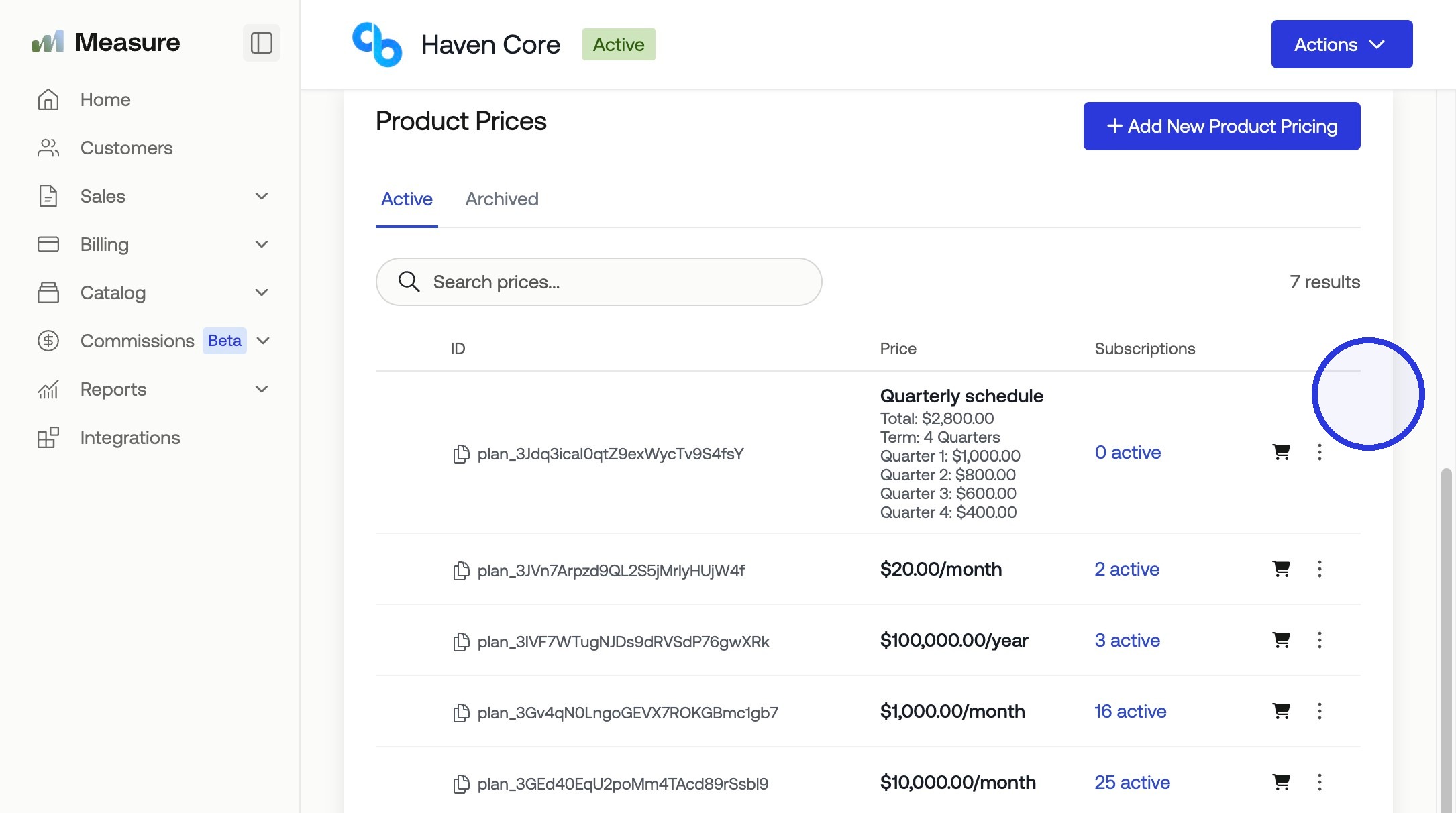
Your custom pricing will be presented to include in a contract or subscription.
Was this article helpful?
Sorry about that! Care to tell us more?