
How to Create and Apply a Discount
Edited
Discounts can be easily created upon contract and subscription creation.
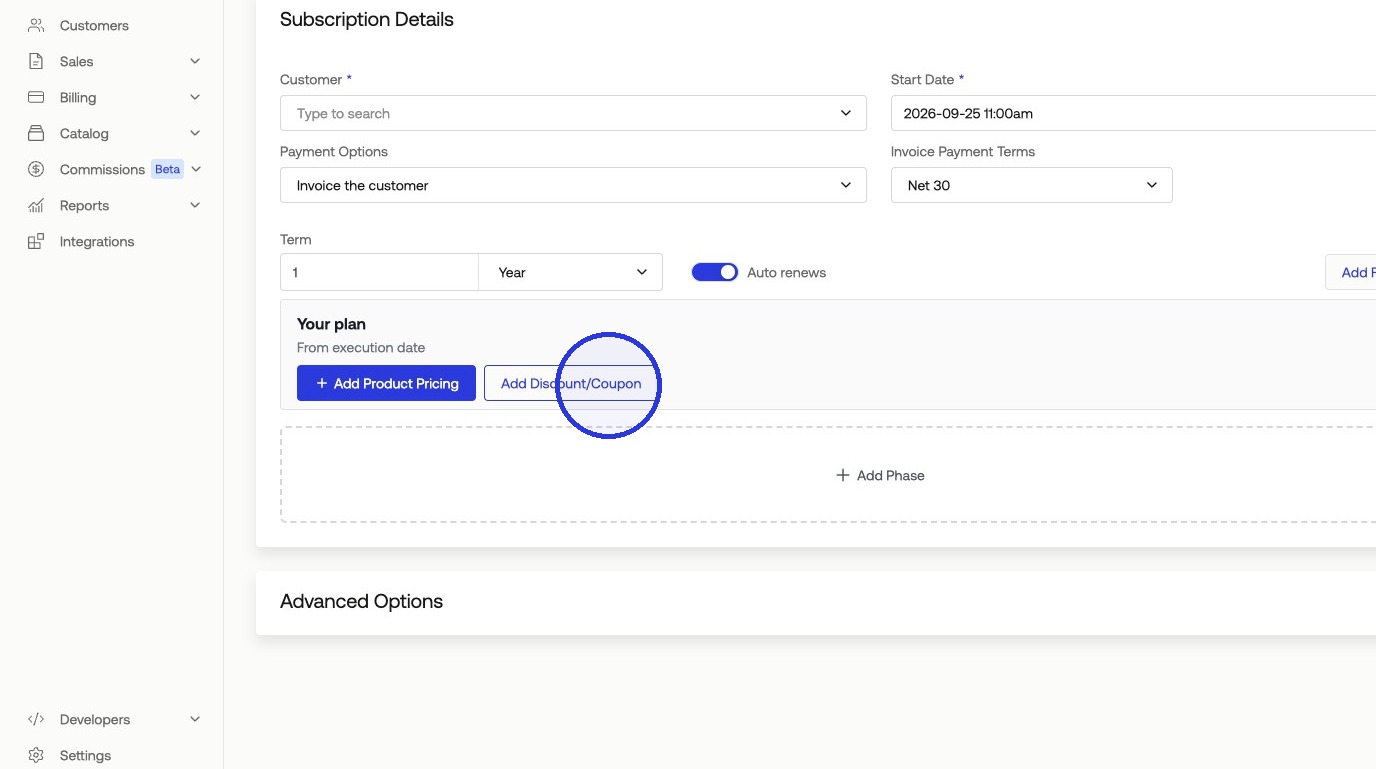
1. When creating a contract or subscription, click "Add Discount/Coupon"
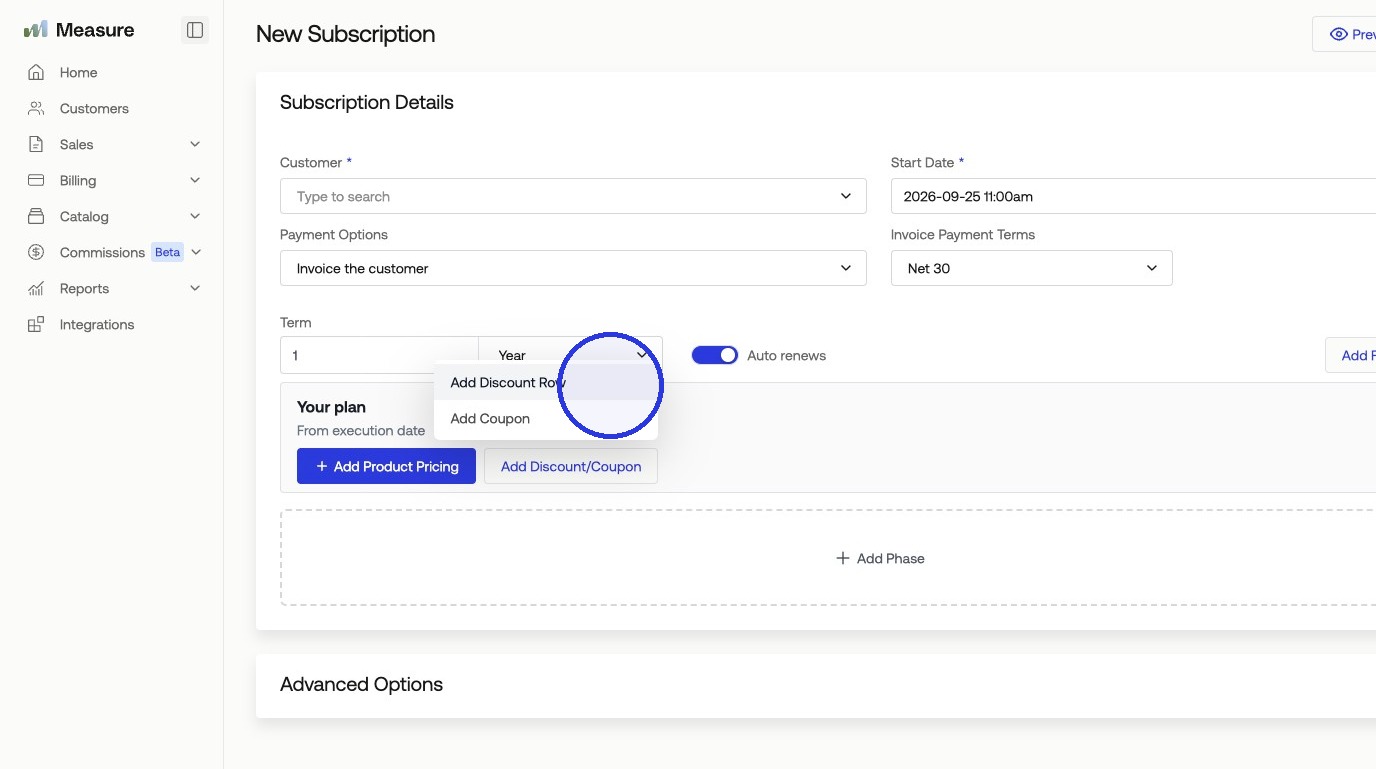
2. Click "Add Discount Row"
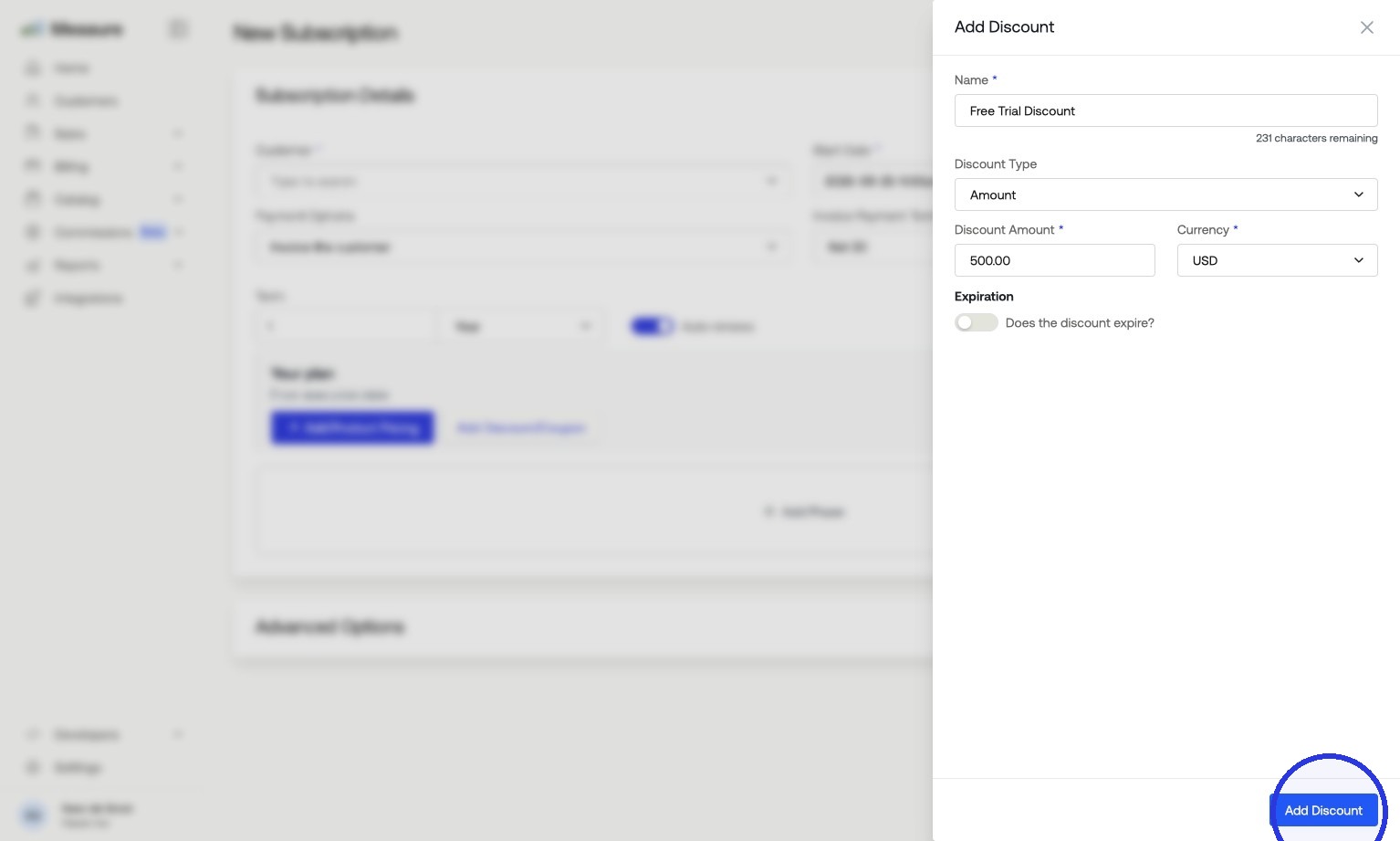
3. Fill in the discount details and click "Add Discount"
Name — A label for the discount, such as "Free Trial Discount".
Discount Type — Choose Amount for a fixed dollar value or Percent for a percentage off.
Discount Amount — The value of the discount.
Currency — The currency the discount applies in (e.g., USD).
Expiration — Optionally set whether the discount expires.
Was this article helpful?
Sorry about that! Care to tell us more?