
How to Import Events by File
Edited
Learn how to import your usage-based billing events for your upcoming subscripton's invoices.
1. Click Settings, under Data > Imports > + Import (Events)
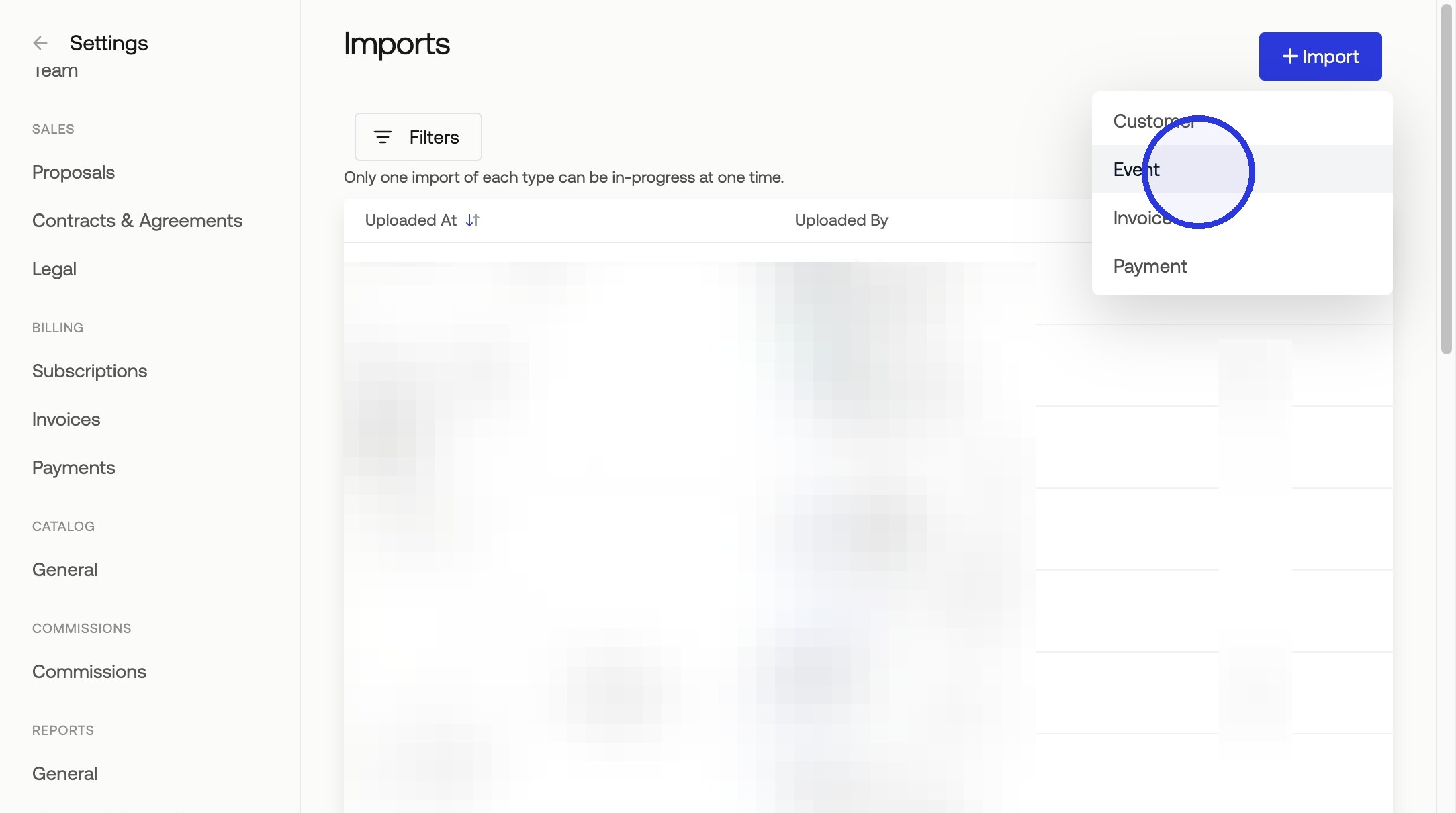
2. Select the Header Row and Click Continue, then Click Submit to Start Your Import
Measure will send an email notification when your import is complete.
Tip: Review Completed/Failed Rows
Errors in the import file can be reviewed in the import details. Before re-importing failed rows, remove all successfully imported events from the import file.
Tip: Review Updated Usage in Subscription
To see your imported usage, navigate to the subscriptions tab, and click on the subscription(s) you imported data for.
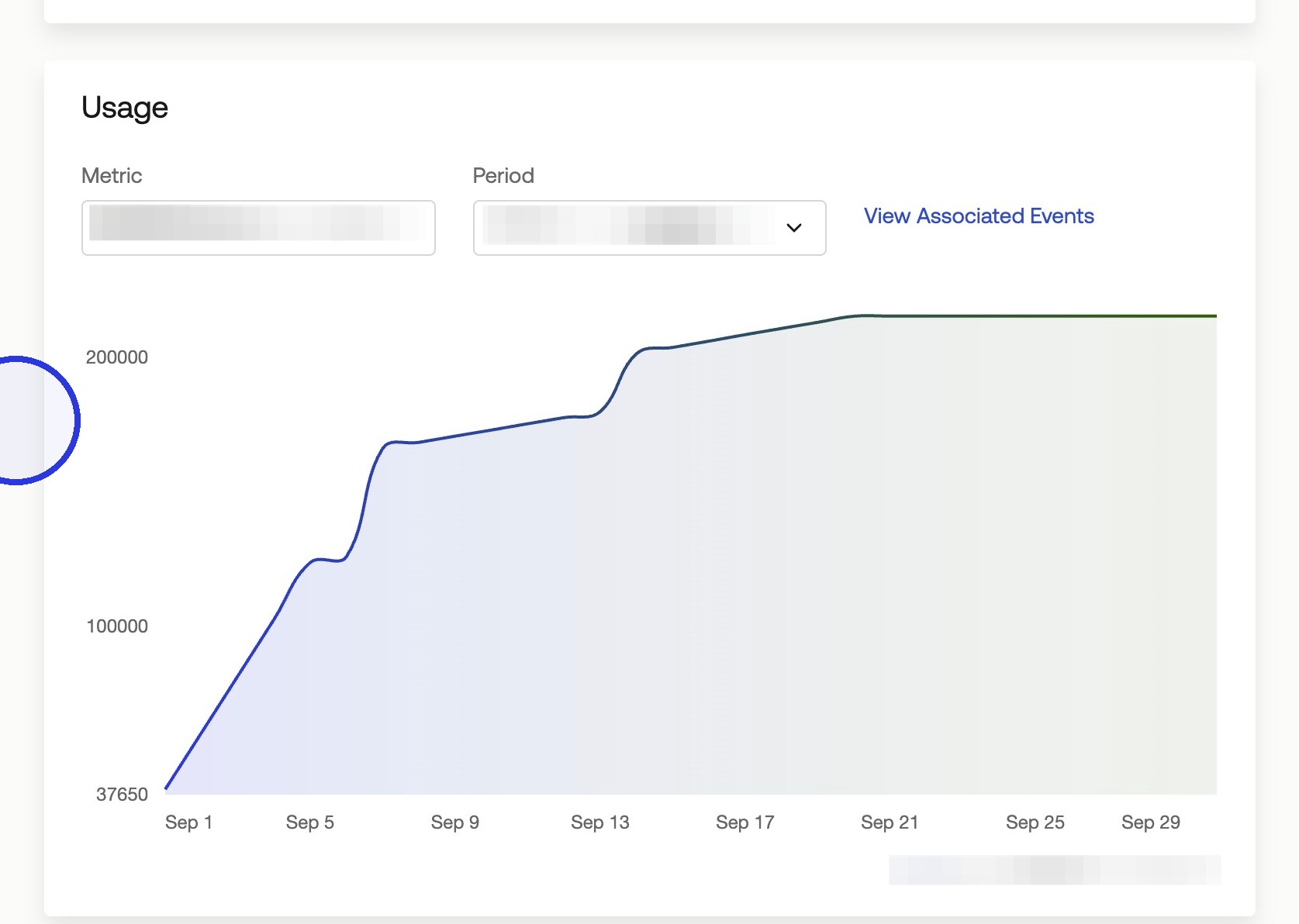
If a subscription includes more than one billable metric, click the metric dropdown to toggle between them.
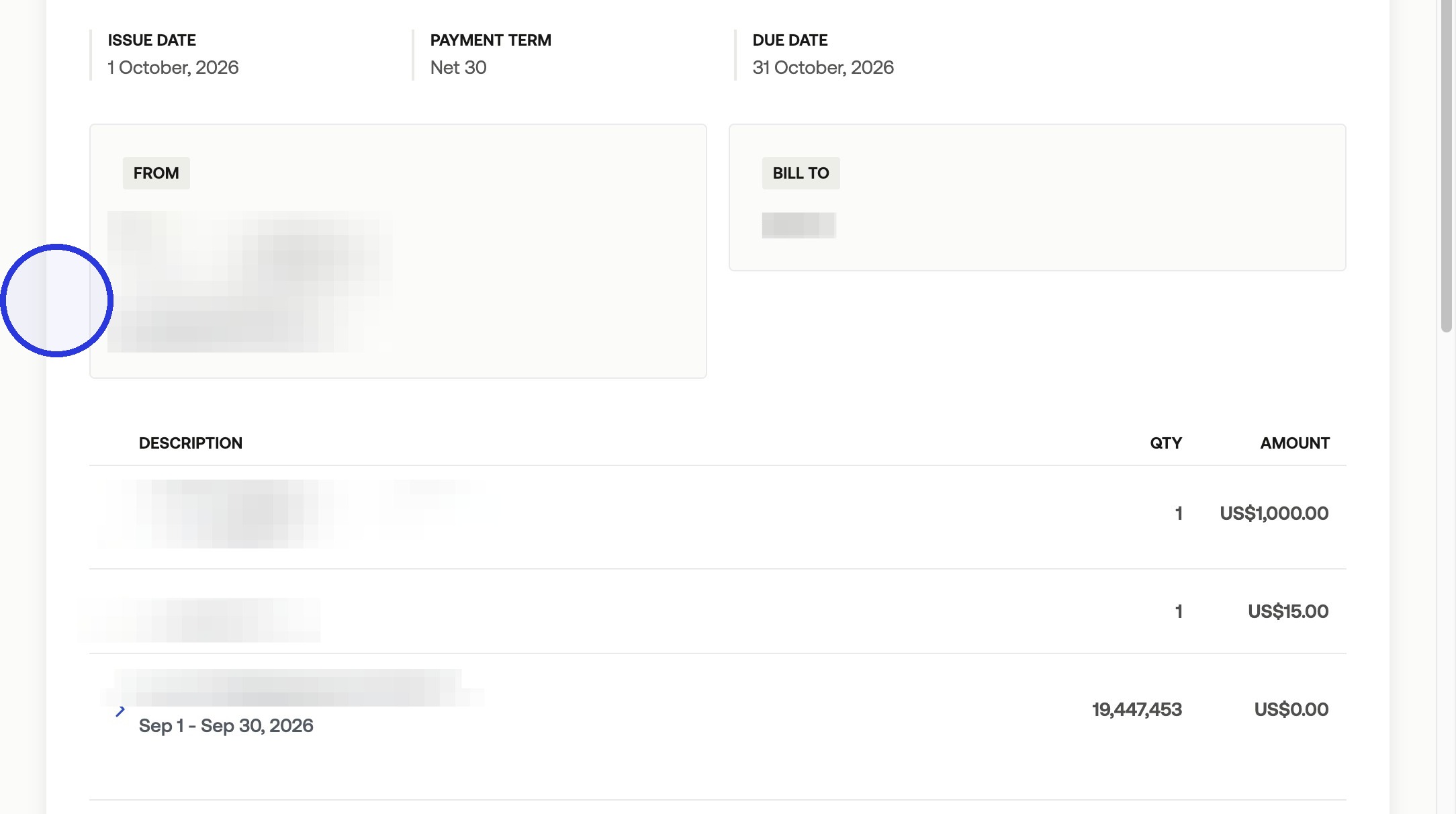
If there is a price associated with the billable item, this can also be reviewed in the upcoming invoice.
Was this article helpful?
Sorry about that! Care to tell us more?