
How to Issue a Credit Note for an Invoice
Edited
Use Credit Notes to apply discounts or reduce the amount owed on unpaid invoices.
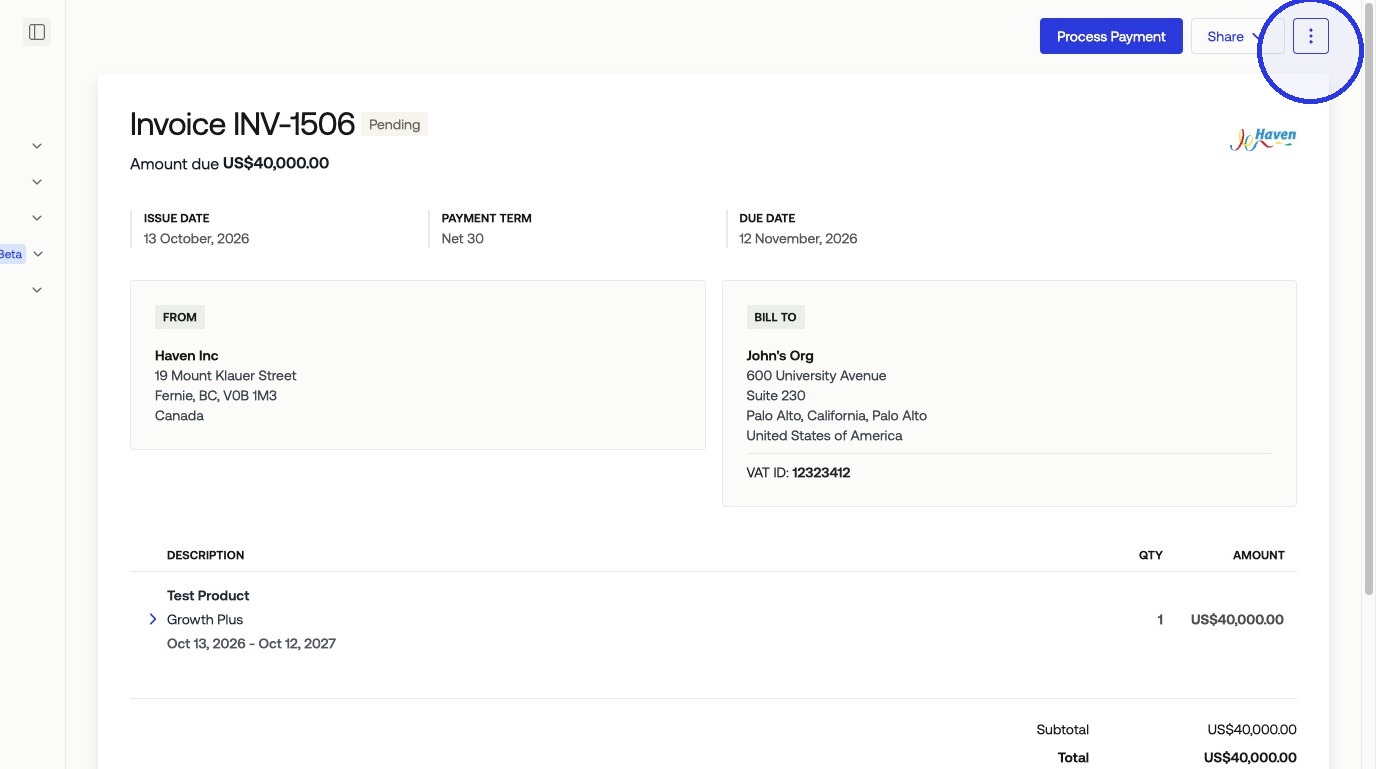
1. Select Billing > Invoices > Select your invoice > Click the three-dot menu
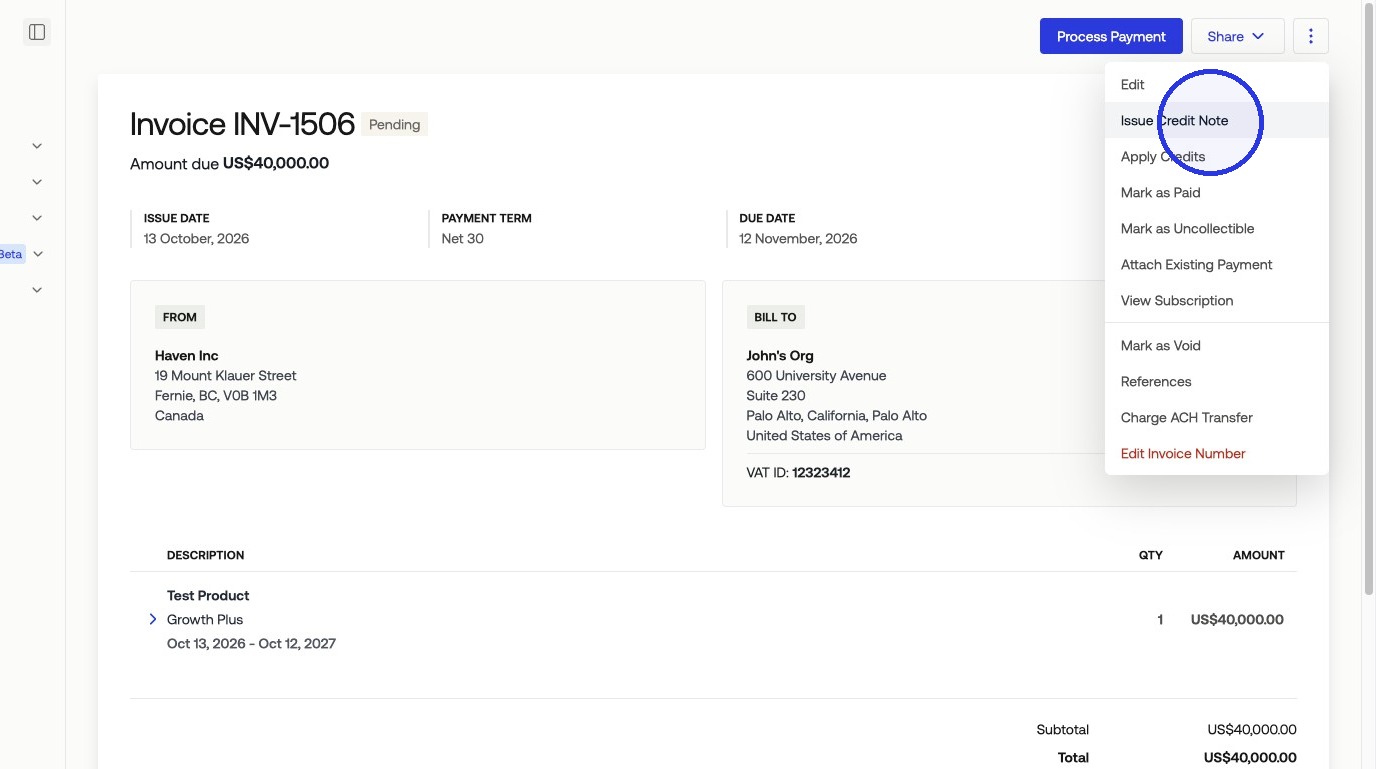
2. Click "Issue Credit Note"
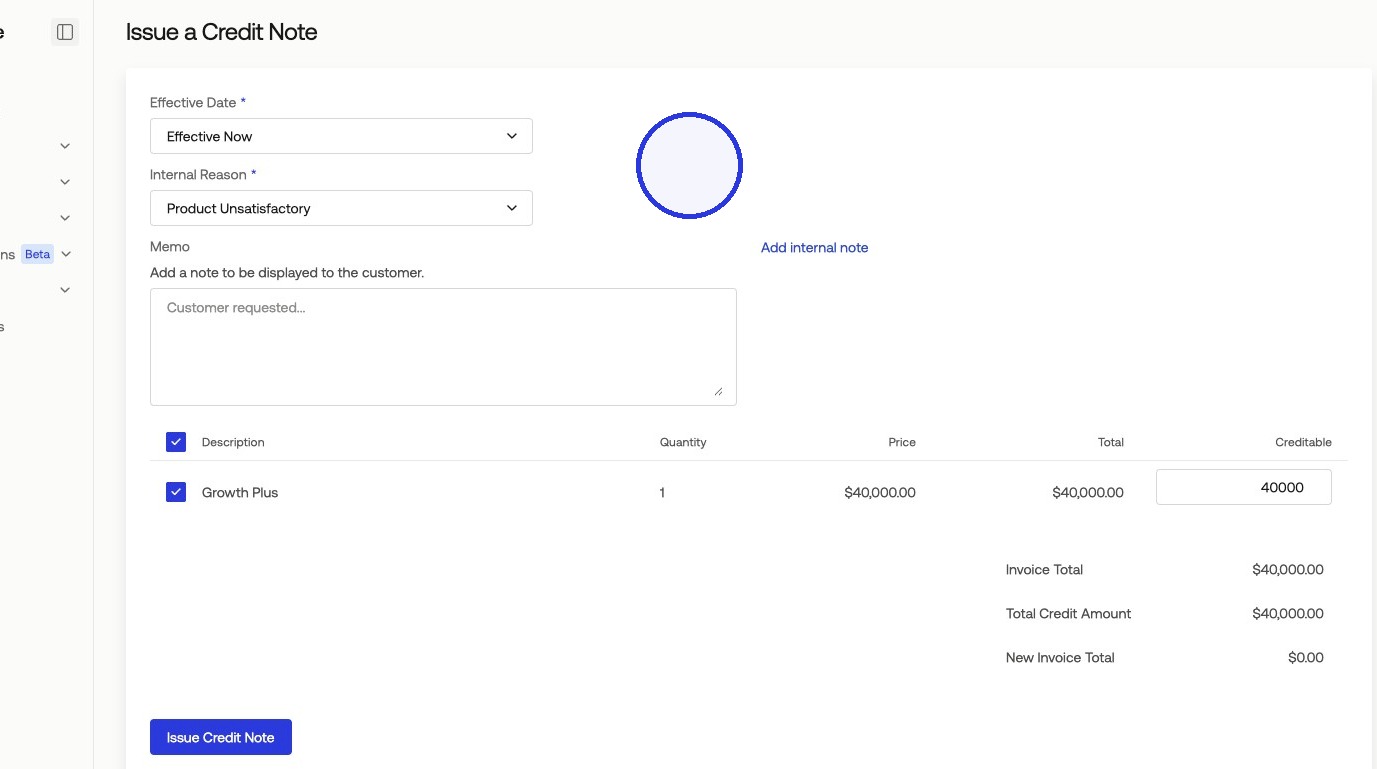
3. Fill out the Credit Note Information
Effective Date
Internal Reason
Amount
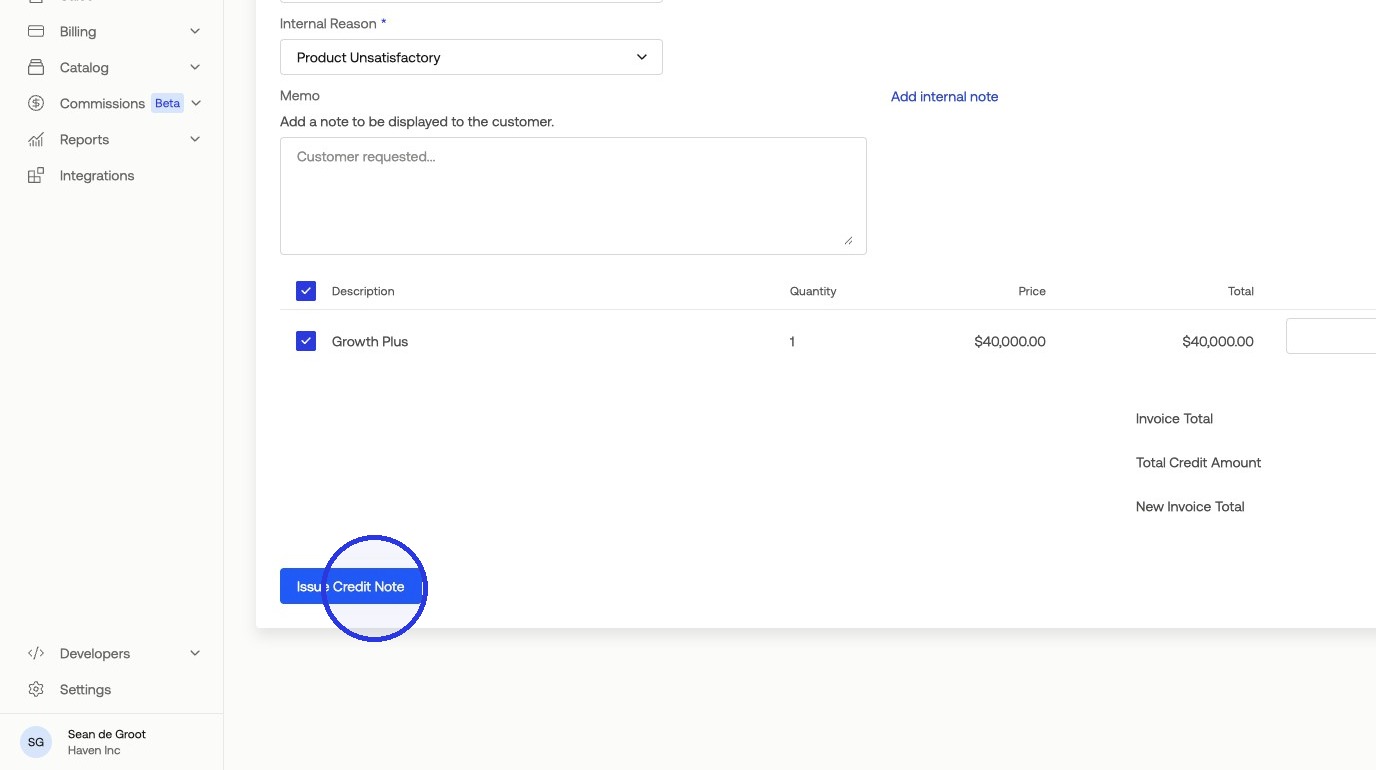
4. Click "Issue Credit Note"
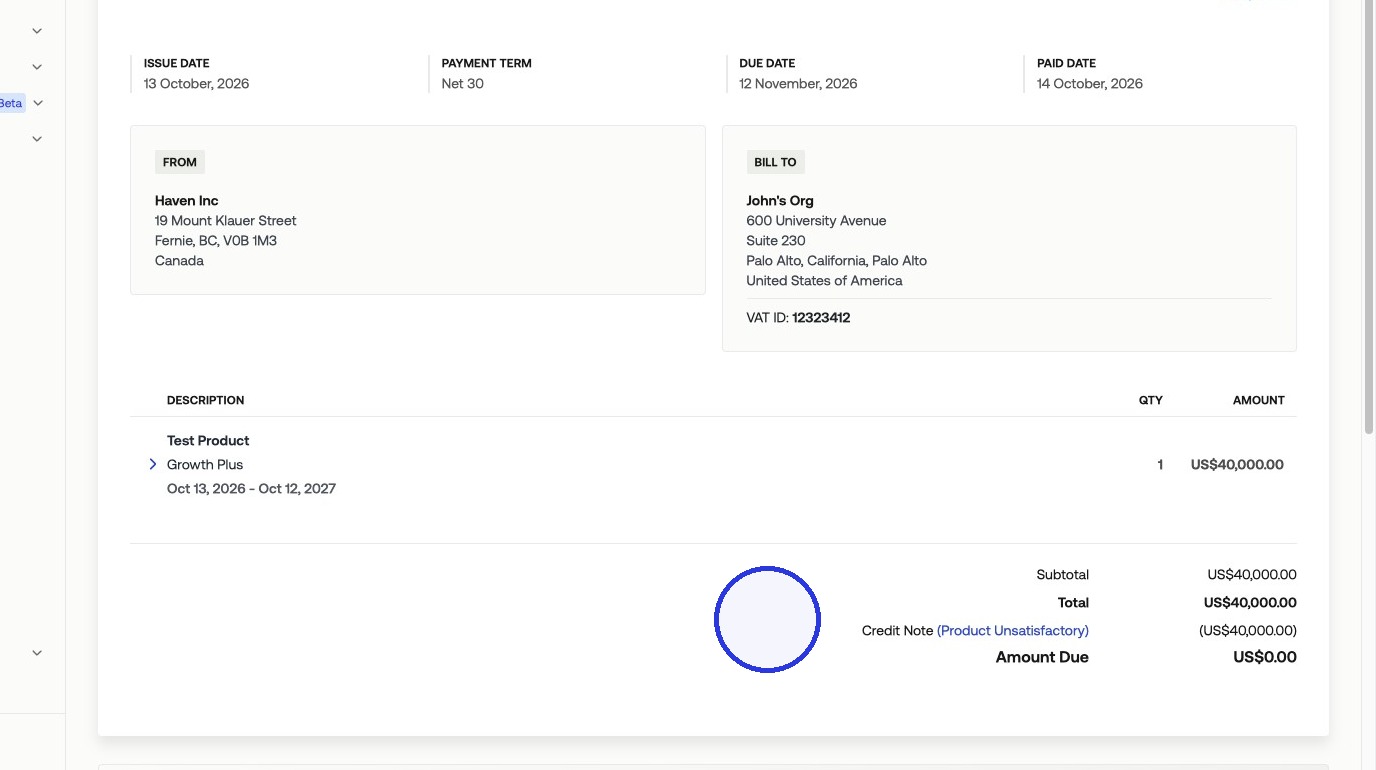
5. The Credit Note will be present on the invoice
The customer will be emailed details regarding their updated invoice.
Was this article helpful?
Sorry about that! Care to tell us more?