Sales Contract Signatory Workflows
Multiple Signatories and Counter Signatories
Measure Contracts offer flexible signature options, providing full control over the approval process. A counter-signatory is used when you need an internal sign-off for the contract to be executed.
Up to 3 external signatures.
Optional counter-signatures from internal signatories.
Multiple Signatory and Counter Signatory Workflow
Signatures can be collected in any order, but all must be collected for the contract to be considered fully executed.
Any of the external signatories can provide payment information if the collection of payment information is required.
If none of the signatories are the payer, the signatories can share the payment link with the payer after signing the contract.
Offline Contract Signing
The standard workflow for a contract being signed involves the Measure user sending a contract to the customer, who then signs it via our Dropbox Sign with their Electronic Signature. Sometimes, customers may sign the agreement differently.
Wet ink signature on a printed copy (customer prints, signs with pen, then scans or mails it back).
Signed and returned outside of Measure (for example, the customer emails back a signed PDF/Word doc, or uploads a signed copy through another channel).
Executed by a third party (e.g., a reseller, partner, or distributor signs on behalf of the customer using their own process).
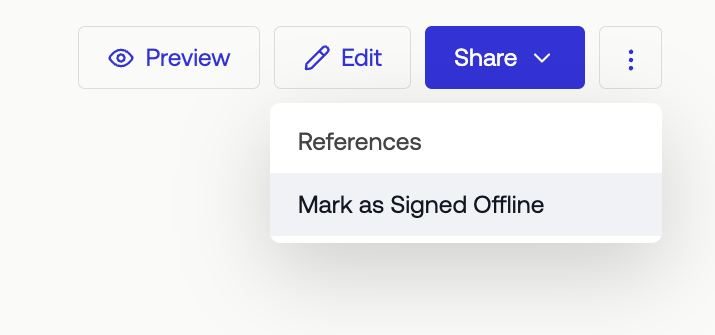
When this happens, we allow the Measure user to "Mark as Signed Offline" to ensure it has the correct status and follows the appropriate post-signature step.