
Stripe Integration Overview and Setup
Stripe integration enables automated payment collection, secure payment method storage, and subscription migration from Stripe Billing to Measure.
Key Capabilities
Automated payment collection: Invoices and contracts configured for automatic payment charge the customer's stored payment method automatically.
Secure payment storage: Payment methods are stored in Stripe's PCI-compliant vault, keeping sensitive card data off your servers.
Multiple payment methods: Support for cards, ACH, and other payment methods available through Stripe.
Test mode support: Connect in test mode to validate your payment workflows before going live.
Payment Processing
When payment collection is enabled, Measure automatically charges customers based on your invoice and contract settings:
Invoice payments: Charge payment methods on file when invoices are finalized.
Contract payments: Collect payment as part of the contract signing workflow.
Failed payment handling: Integrate with Measure's payment recovery workflows for failed charges.
Setup
Connect your Stripe account in Measure to start collecting payments.
1. Connect your Stripe account
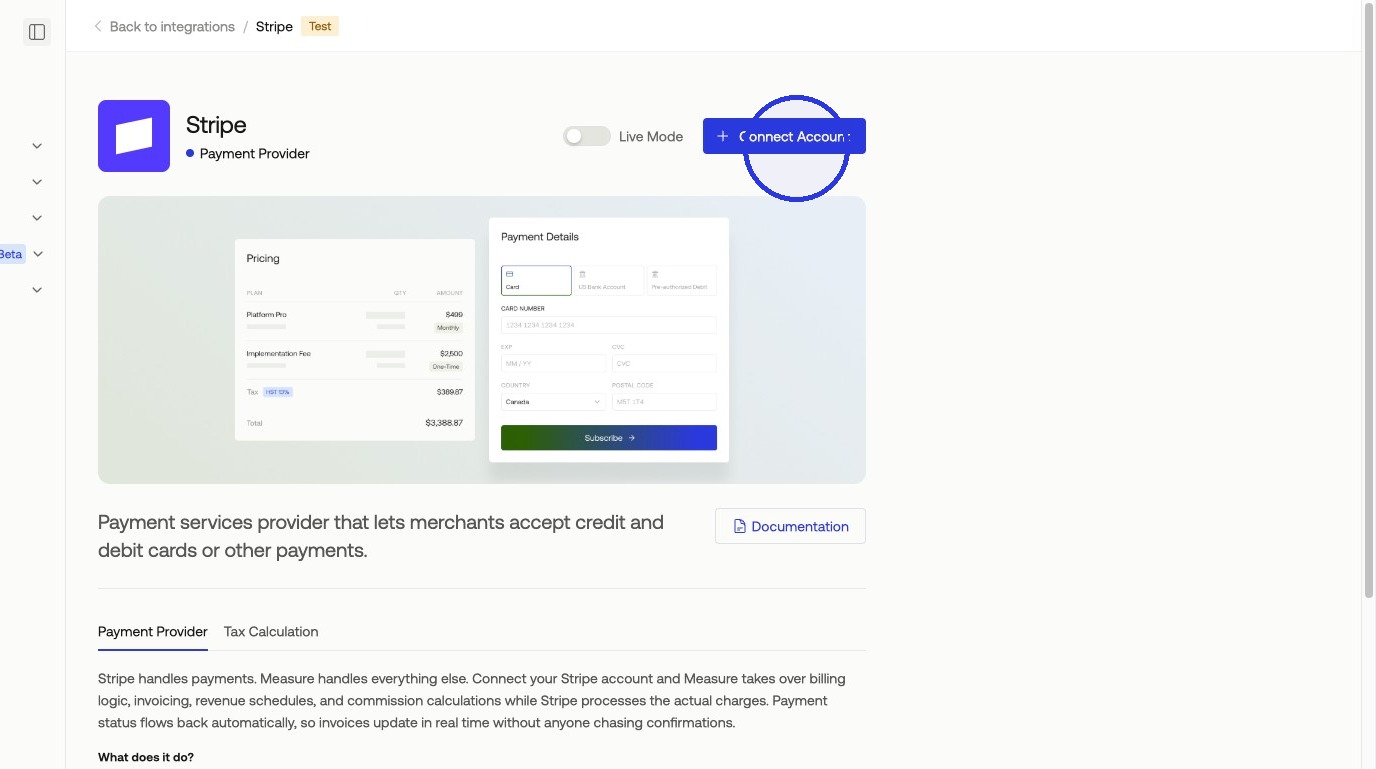
Navigate to Integrations, search for Stripe, select it, and click + Connect Account.
2. Select your Stripe account
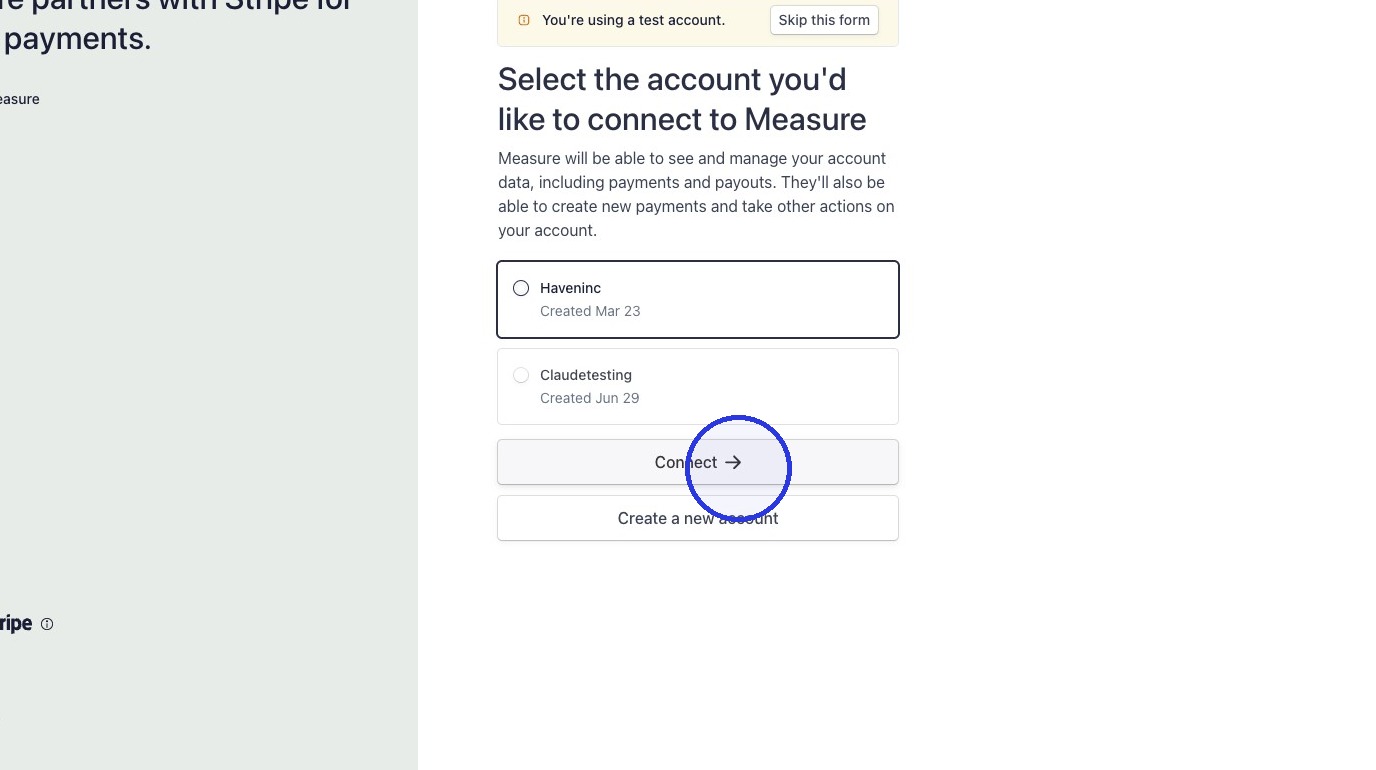
Select your Stripe account and click Connect.
3. Configure Payment Method Overrides (optional)
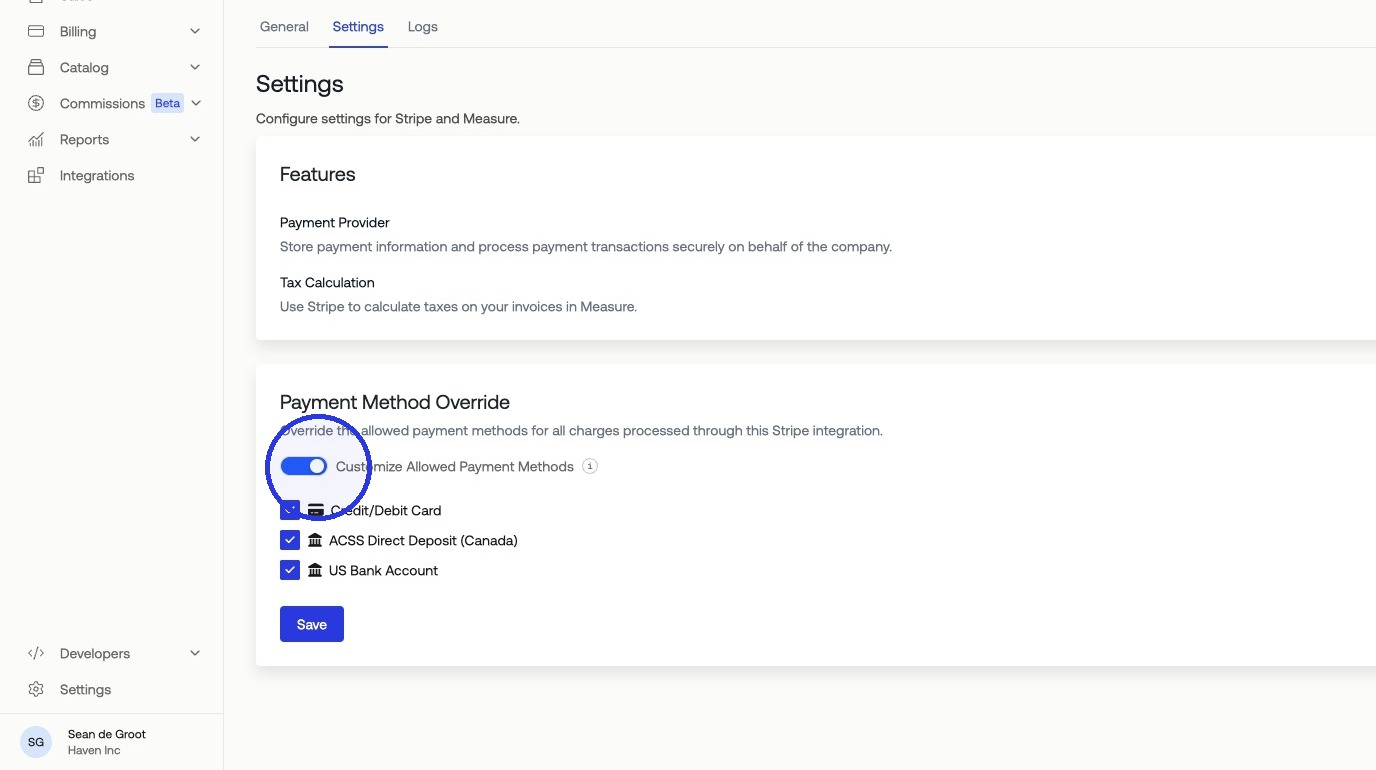
Set Payment Method Overrides globally for all Stripe transactions. This can also be configured on a per-contract or per-subscription basis.
Stripe Tax
Measure integrates with Stripe Tax for automated tax calculation. See Stripe Tax for an overview and setup.