
Postmark Integration Overview and Setup
Postmark integration enables you to send customer emails from your own domain, giving you control over deliverability and brand consistency. Route invoices, payment receipts, and contract notifications through your Postmark account.
Key Capabilities
Custom domain sending: Send emails from your verified domain instead of Measure's default.
Improved deliverability: Leverage your domain's reputation and Postmark's delivery infrastructure.
Email tracking: Track deliveries, opens, clicks, and bounces for all customer communications.
Consistent branding: Maintain your brand identity across all customer touchpoints.
Email Types
All customer-facing emails from Measure can be routed through Postmark:
Invoice emails: Invoice delivery and payment reminders.
Payment receipts: Confirmation emails for successful payments.
Contract notifications: Signature requests and contract status updates.
Tracking and Analytics
With webhook integration, Measure tracks email engagement:
Event | Description |
|---|---|
Delivered | Email successfully delivered to recipient |
Opened | Recipient opened the email |
Clicked | Recipient clicked a link in the email |
Bounced | Email could not be delivered |
Spam Complaint | Recipient marked email as spam |
Email status is visible on invoice and contract records, helping you understand customer engagement and troubleshoot delivery issues.
Requirements
Verified domain or sender signature in Postmark
Postmark Server API token
1. Log in to Postmark and Verify your Domain
Log into your Postmark account, and verify your domain or sender signature if you have not already. See Postmark's article, How do I verify a domain, for more details.
⚠️ This needs to be completed for us to be able to use your "From" address.
2. Create a Server Token in Postmark
Reference the API Tokens page in Postmark.
3. Install the Postmark Integration in Measure
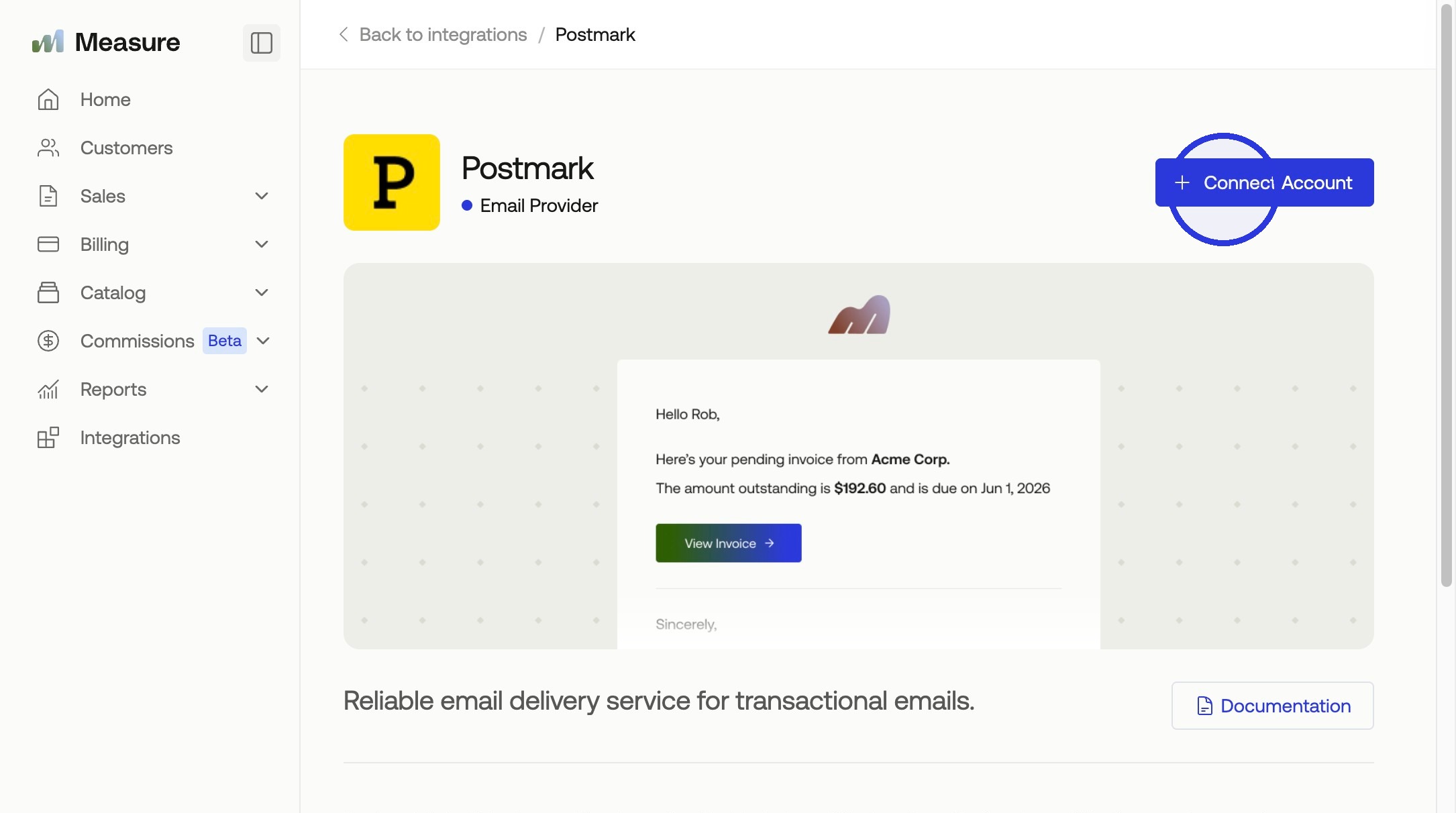
Find the Integrations tab in Measure, and select the Postmark integration. Click Connect Account.
4. Paste the API Key in Measure
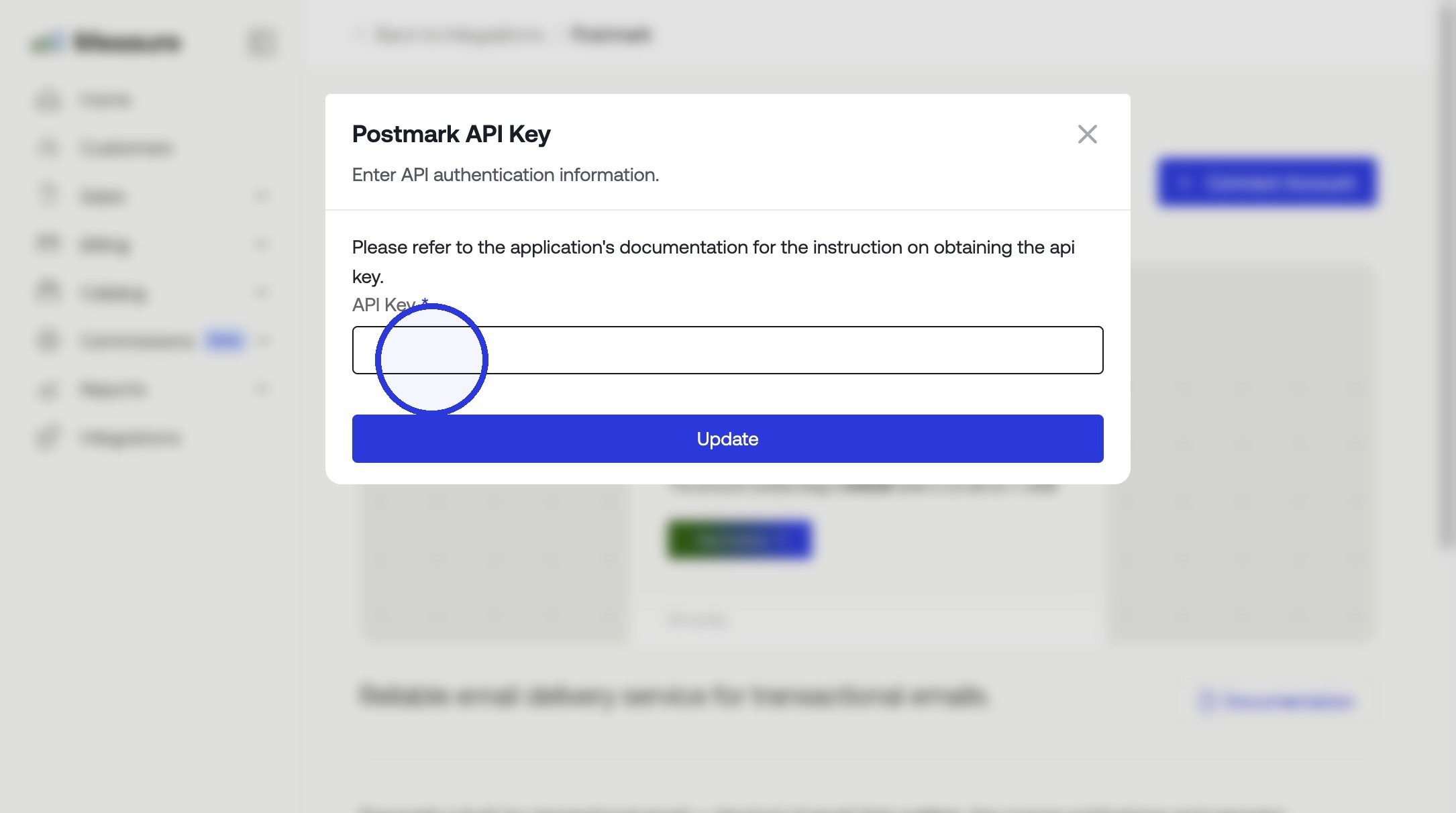
Paste the API copied from Step 2, then click Update.
5. Copy Webhook URL from Measure

6. Create a Webhook in Postmark
Go to Servers in Postmark.
Select the appropriate Server. Then select the appropriate Message Stream.
Click on Webhooks tab.
Click on Add Webhook.
Paste the webhook url from Step 5.
Ensure the following events are sent:
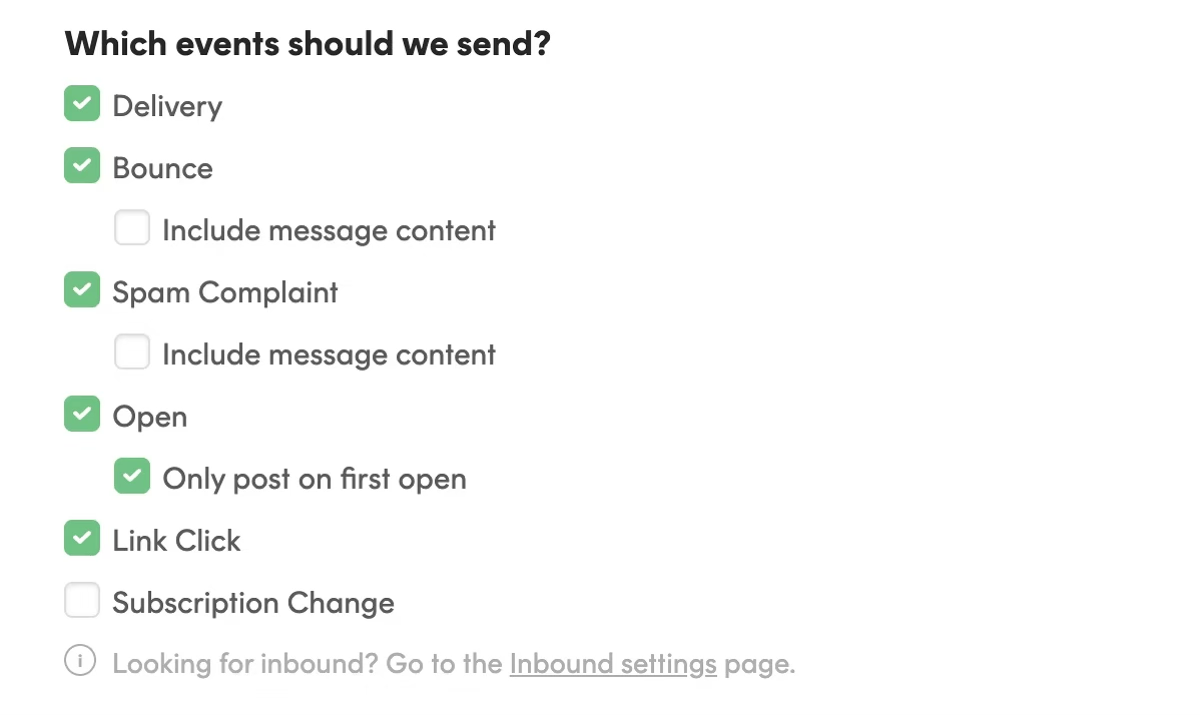
Click Save Webhook.
7. Provide "From" Address under the General Tab
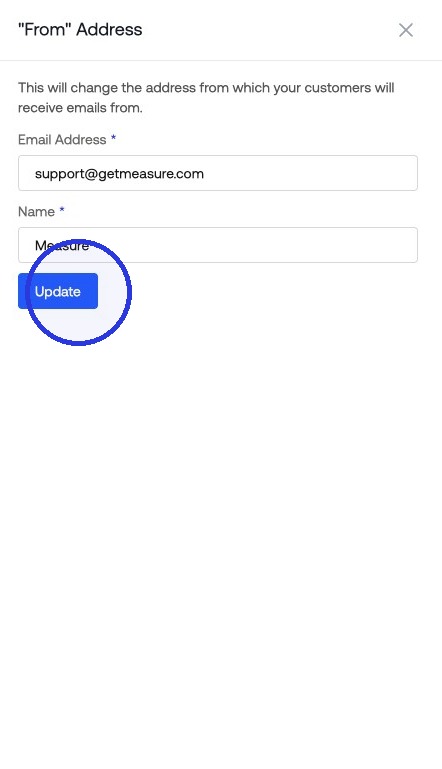
⚠️ Ensure the "From Address" is part of the verified domain, or that the exact "Sender Signature" is added in Step 1.
Your Postmark integration with Measure is now fully configured. Measure can send emails using your verified domain, track email opens and clicks, and handle bounces or spam reports. You're ready to start sending transactional and notification emails to your customers.