
How to Enable Partial Payments on an Invoice
Edited
By default, customers must pay an invoice in full. Enabling partial payments lets customers submit a payment for less than the total invoice amount. You configure this setting once in Invoice Display Settings, and it applies to all invoices.
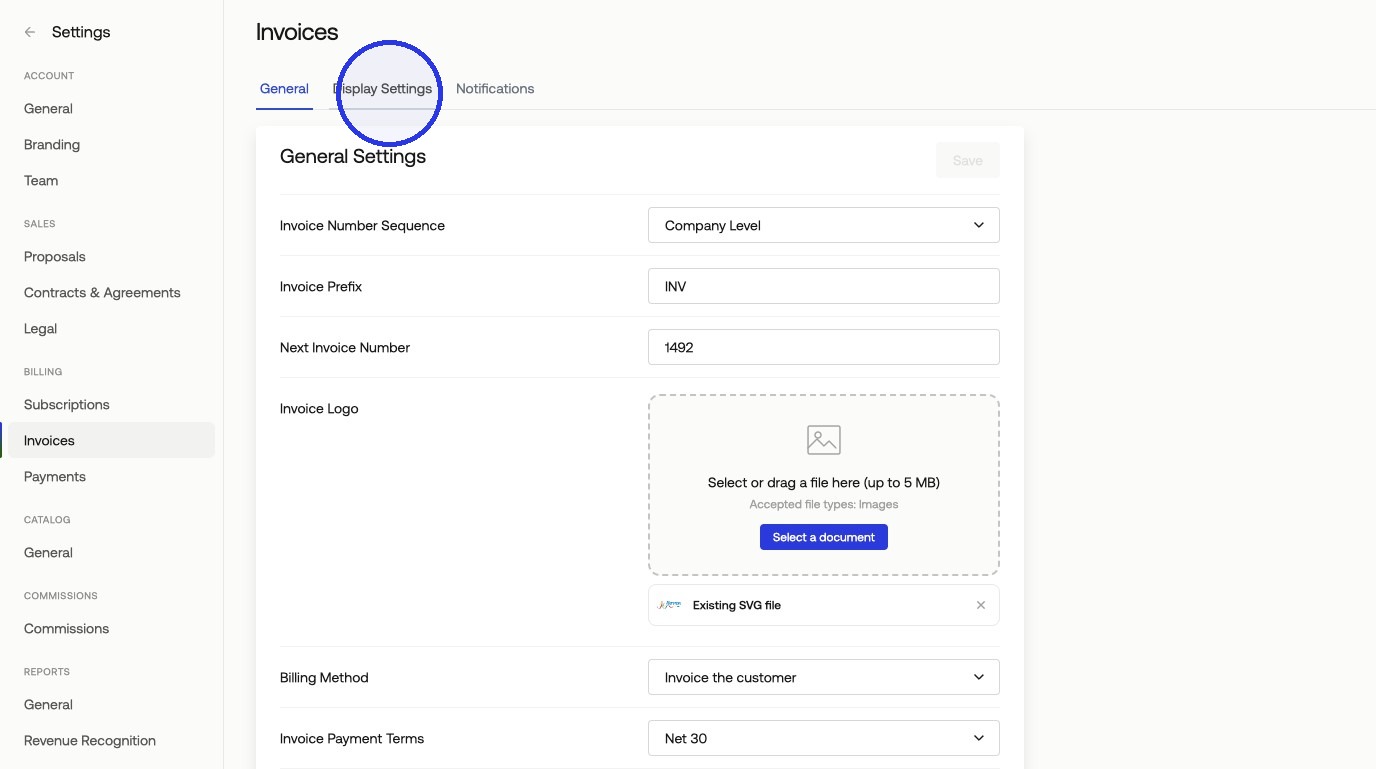
1. Open Invoice Display Settings.
Go to Settings > Invoices > Display Settings.
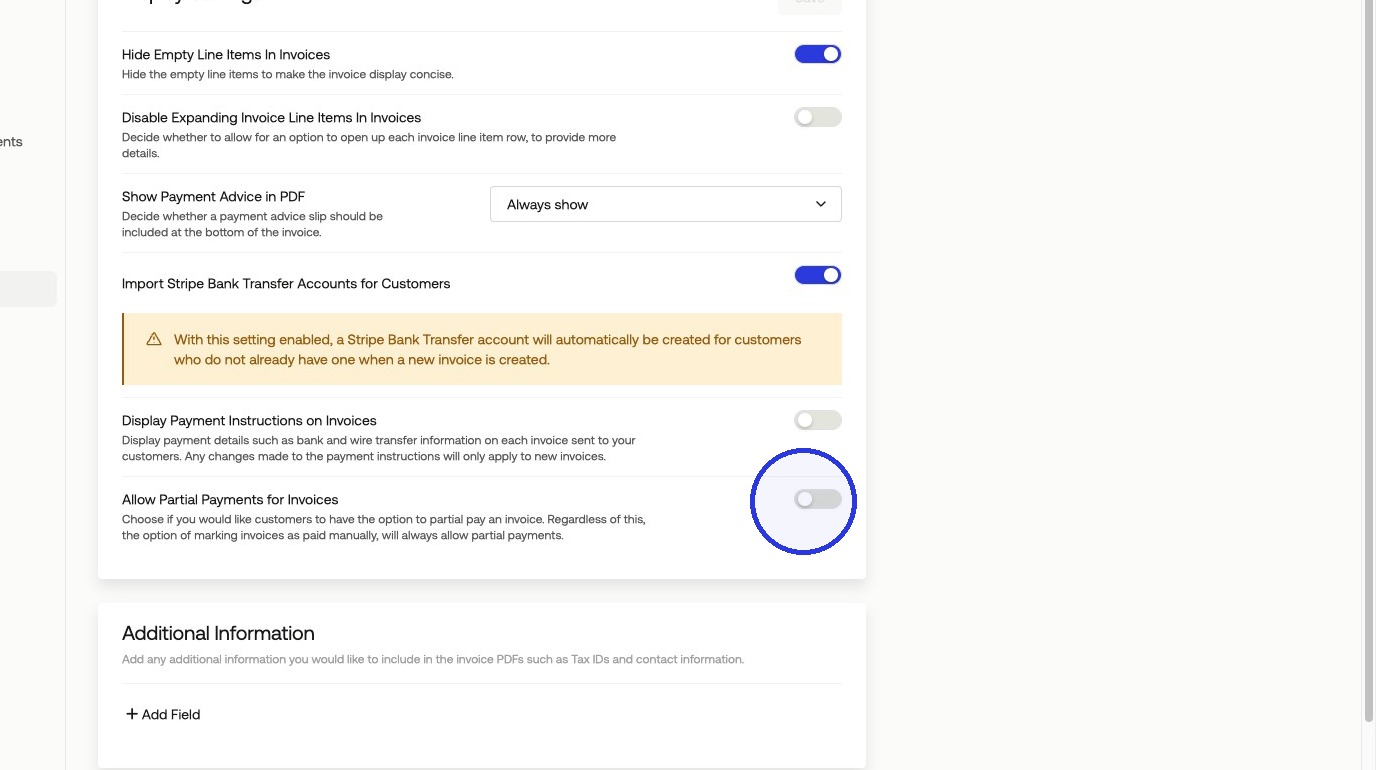
2. Enable the Allow Partial Payments Toggle
Turn on the Allow Partial Payments for Invoices toggle, then click Save.
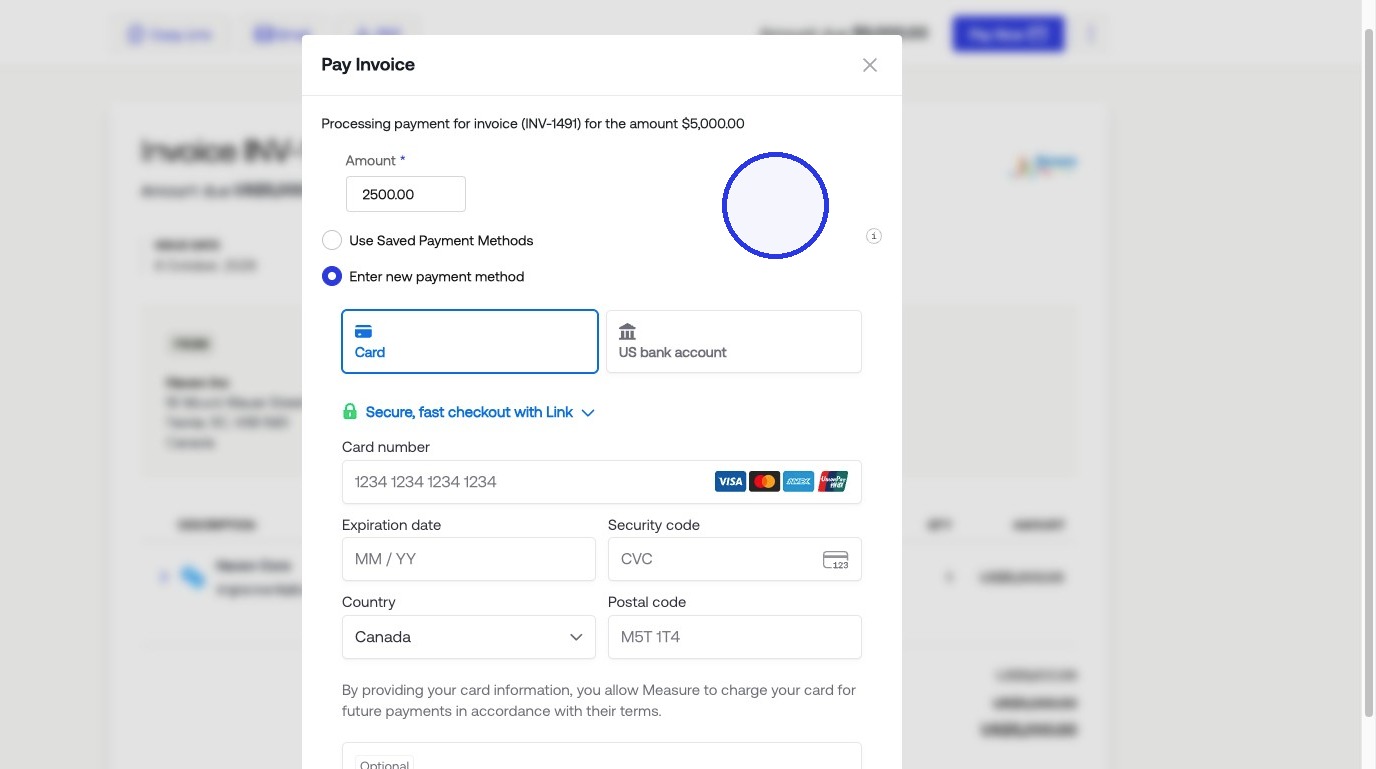
3. How Partial Payments Appear to Customers
Once enabled, customers will see a field to enter a partial payment amount on the hosted invoice payment page, above where they input their payment method. They can pay any amount up to the invoice total
Was this article helpful?
Sorry about that! Care to tell us more?