
How to Add a Customer Credit
Edited
Add a manual credit to a customer's account to apply toward future invoices.
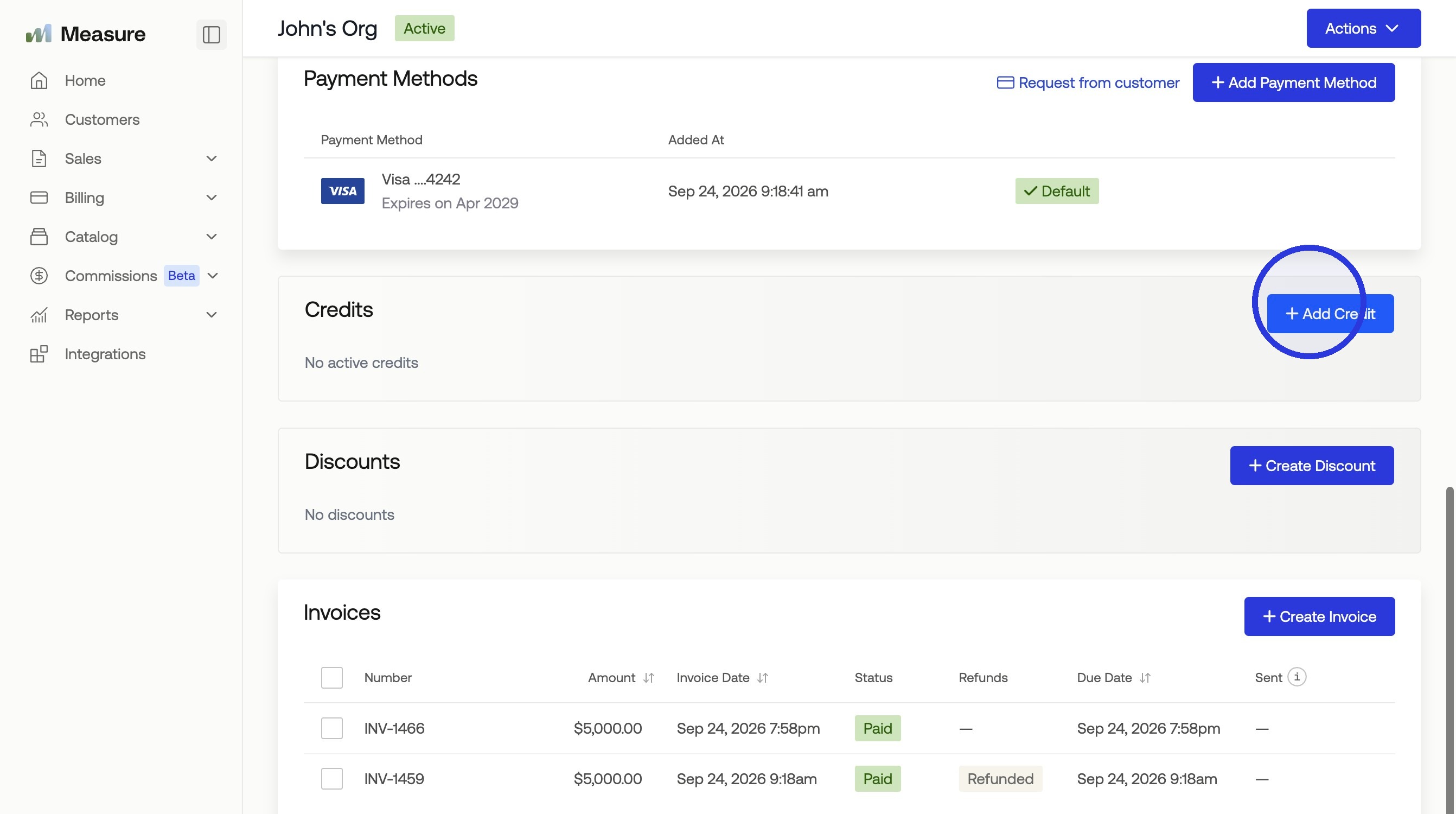
1. Select the Customer and Click "Add Credit"
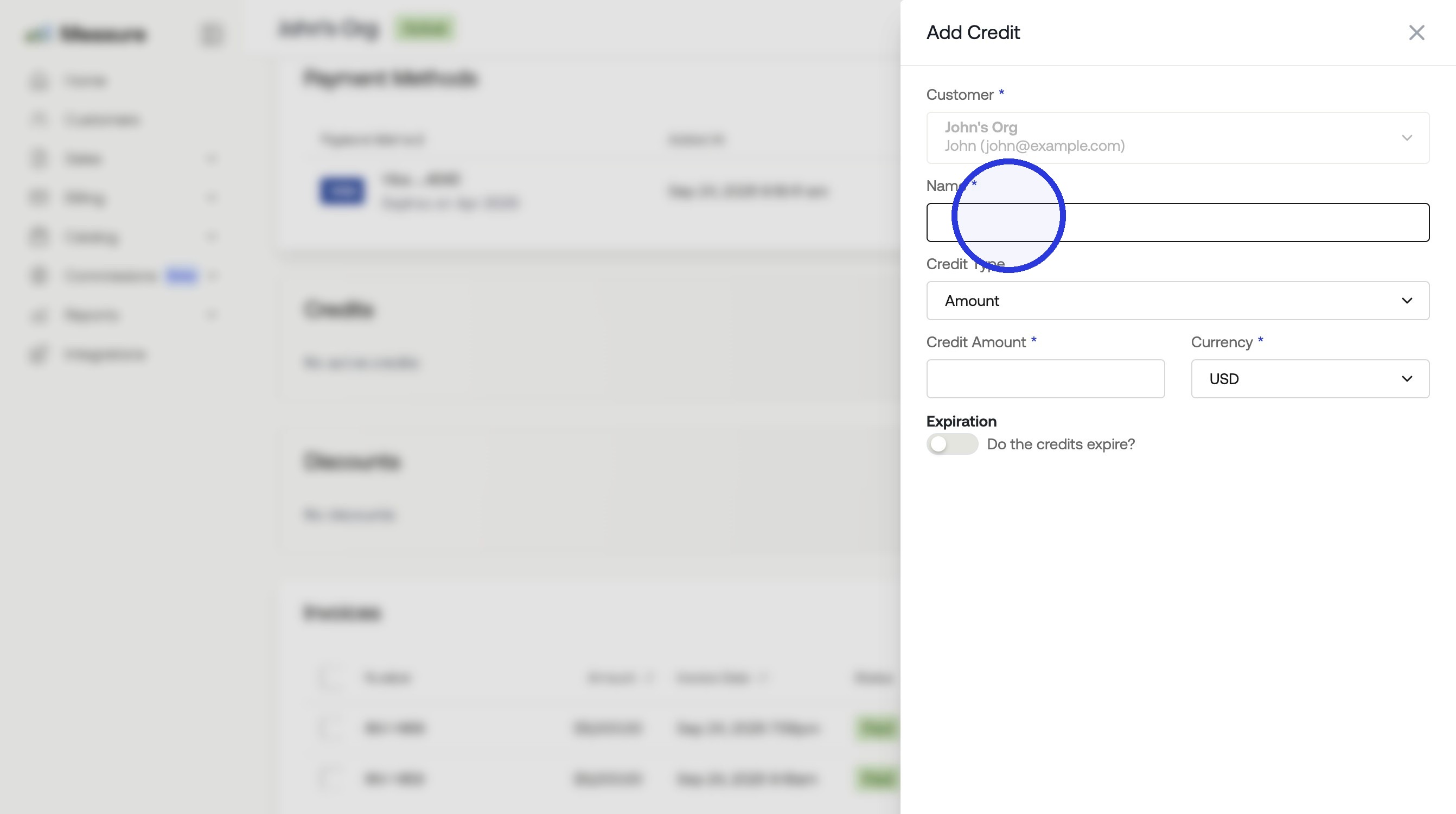
2. Add a Name and Select the Credit Type
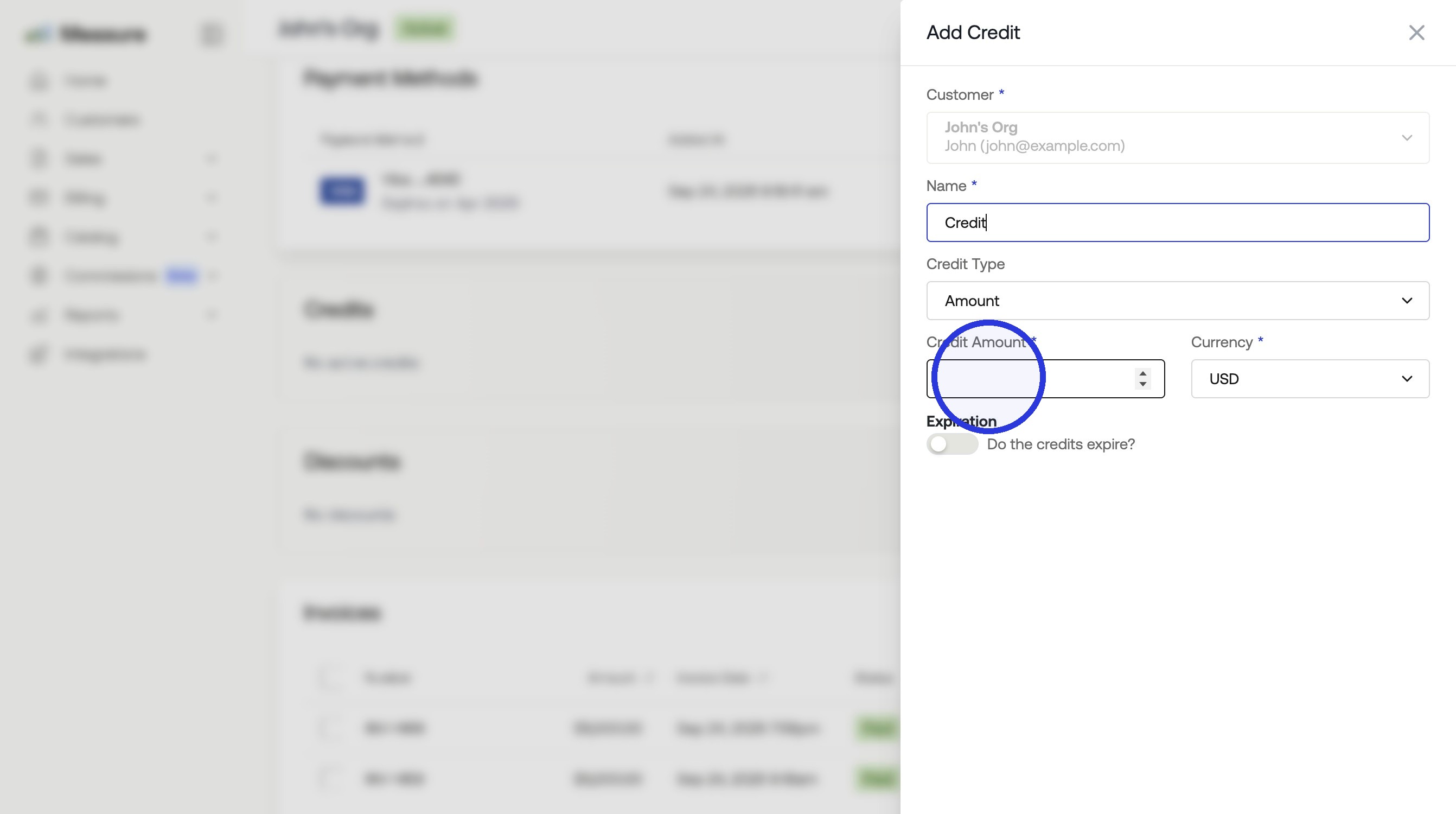
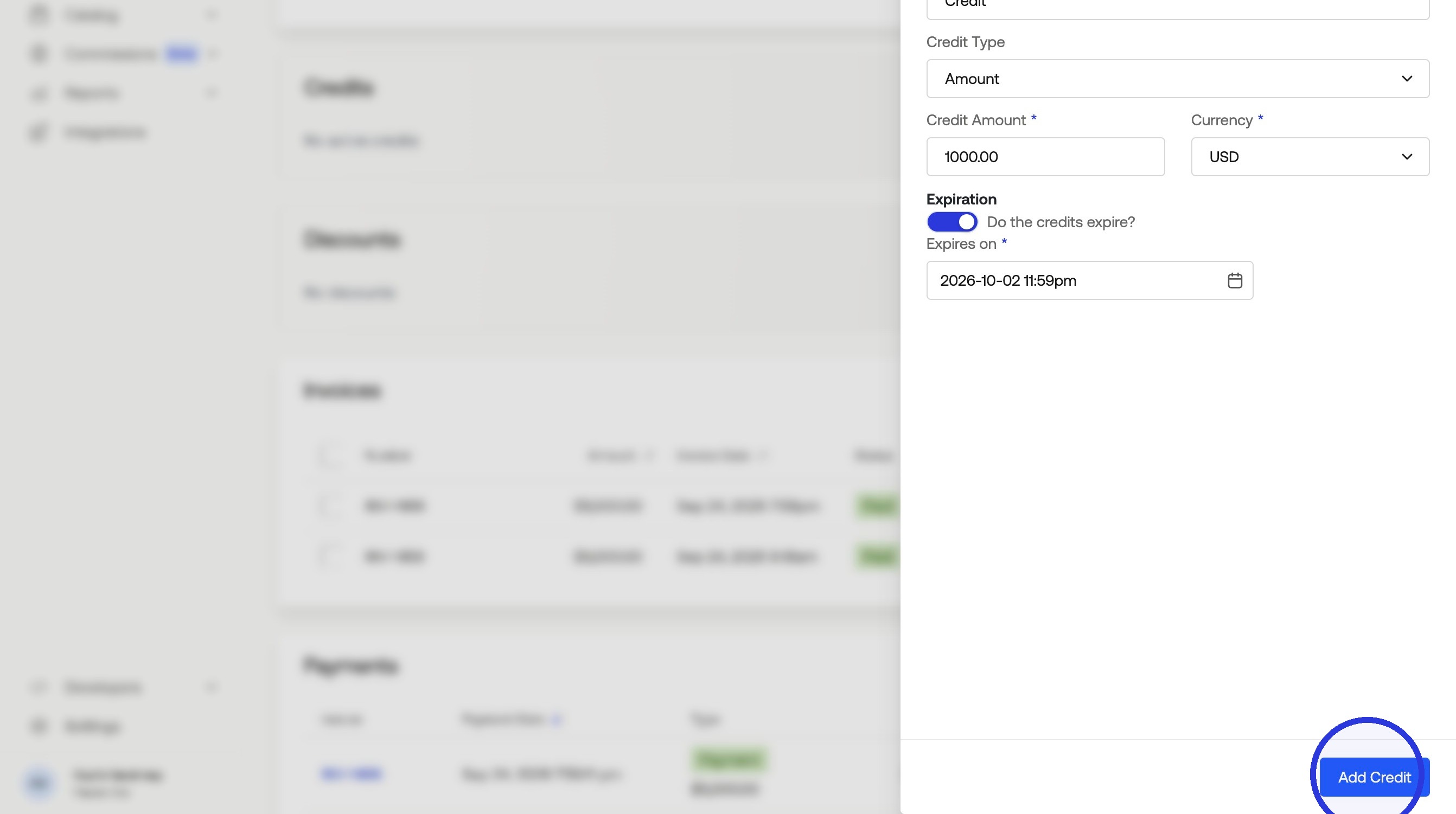
3. Add the Credit Amount
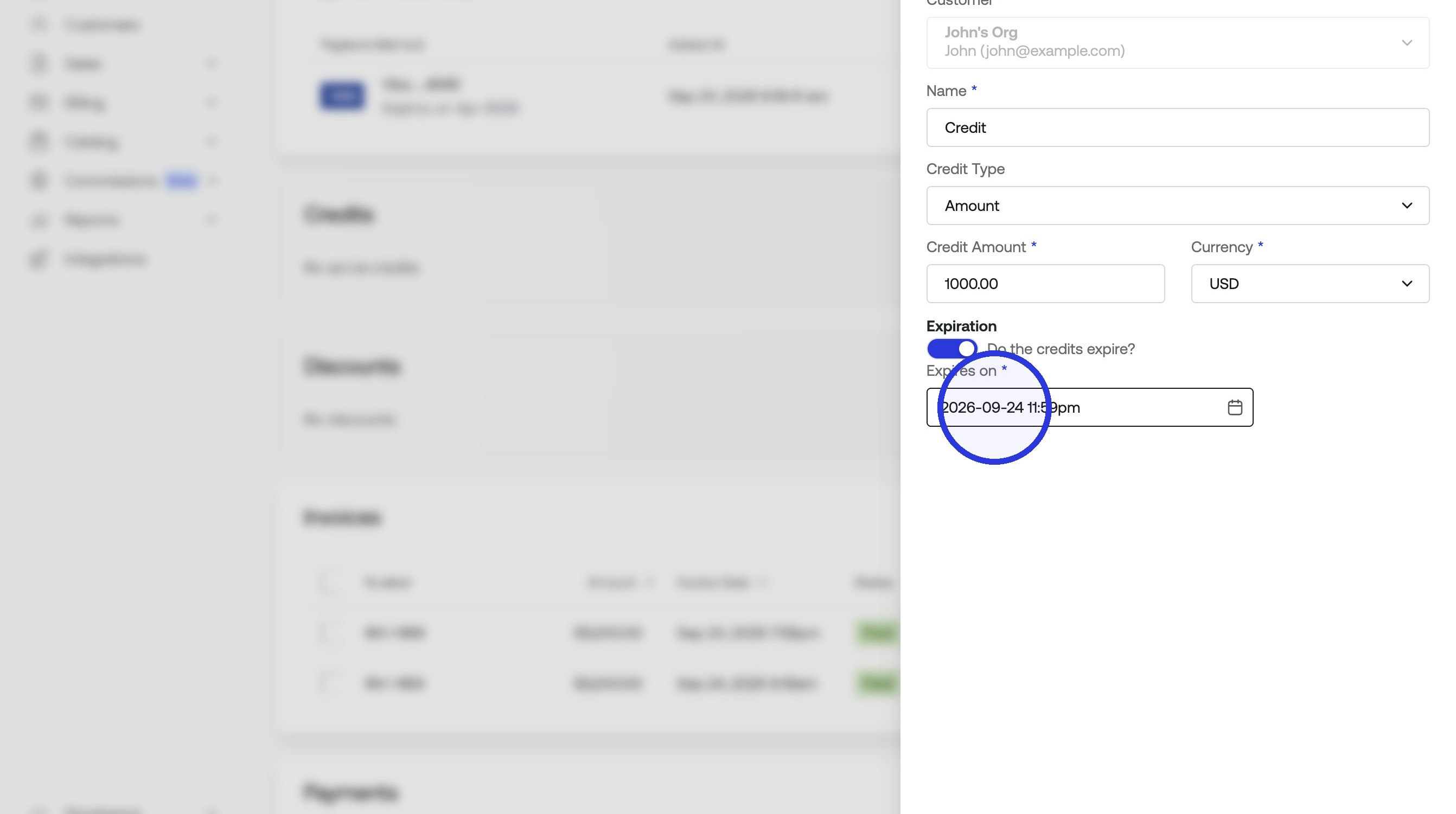
4. Set an Expiry Date if Needed
5. Click "Add Credit"
Was this article helpful?
Sorry about that! Care to tell us more?