Uncollectible Invoices
Why Mark Invoices as Uncollectible?
The Uncollectible status is for invoices you don't expect to recover payment on. Once an invoice has passed a certain threshold of overdue time or failed collection attempts, marking it as uncollectible removes it from your active receivables.
This keeps your aged receivables reports accurate. Uncollectible invoices won't appear alongside invoices you're still actively pursuing, so your finance team can focus on the receivables that matter.
Mark an Invoice as Uncollectible Manually
Open the invoice you want to mark. Click the three-dot menu > Mark as Uncollectible > Confirm.
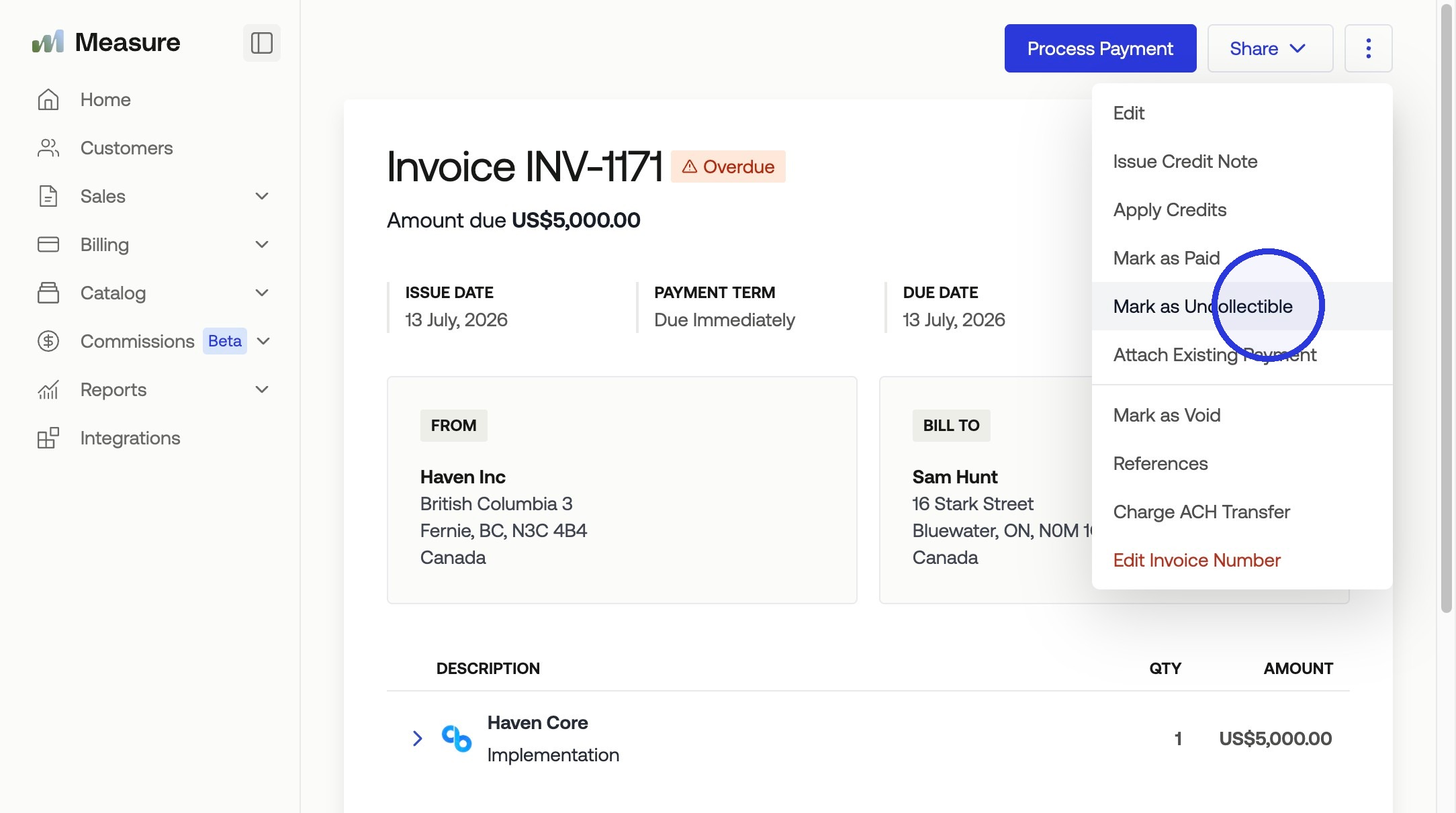
The invoice status updates to Uncollectible. You can filter your invoice list by this status to see all uncollectible invoices in one view.
⚠️ Invoices that are in Draft, need to be finalized before they can be marked as Uncollectible.
Automate Uncollectible Status with Invoice Reminders
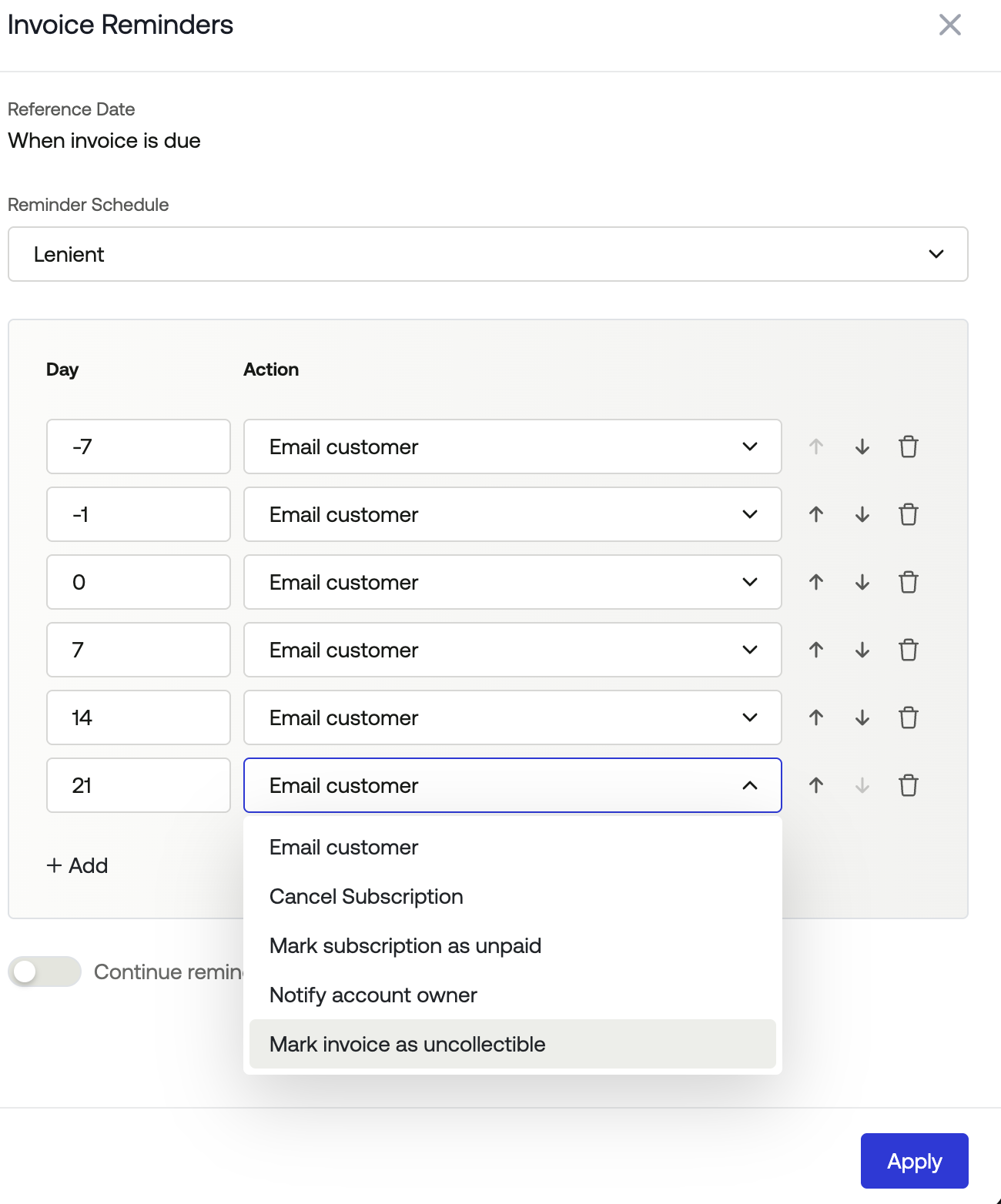
You can configure invoice reminder campaigns to automatically mark invoices as uncollectible after a set period. Navigate to Settings > Invoices > Notifications to set this up.
Add a step to your reminder campaign that marks invoices as uncollectible after a specific number of days past the due date. For example, you might send a reminder a few days before the due date, follow up at 7 days overdue, and then mark as uncollectible at 30 days overdue.
This automation ensures invoices are categorized correctly without manual intervention. Your reminder campaign handles the entire lifecycle from initial notification through final status update.